Product tour
One inbox for WhatsApp, Instagram and Messenger.
Every customer message and comment, from every Meta channel, handled by your team as tickets — with an AI agent that answers from your own material, plus contacts, templates, campaigns and reporting built in.
Getting in
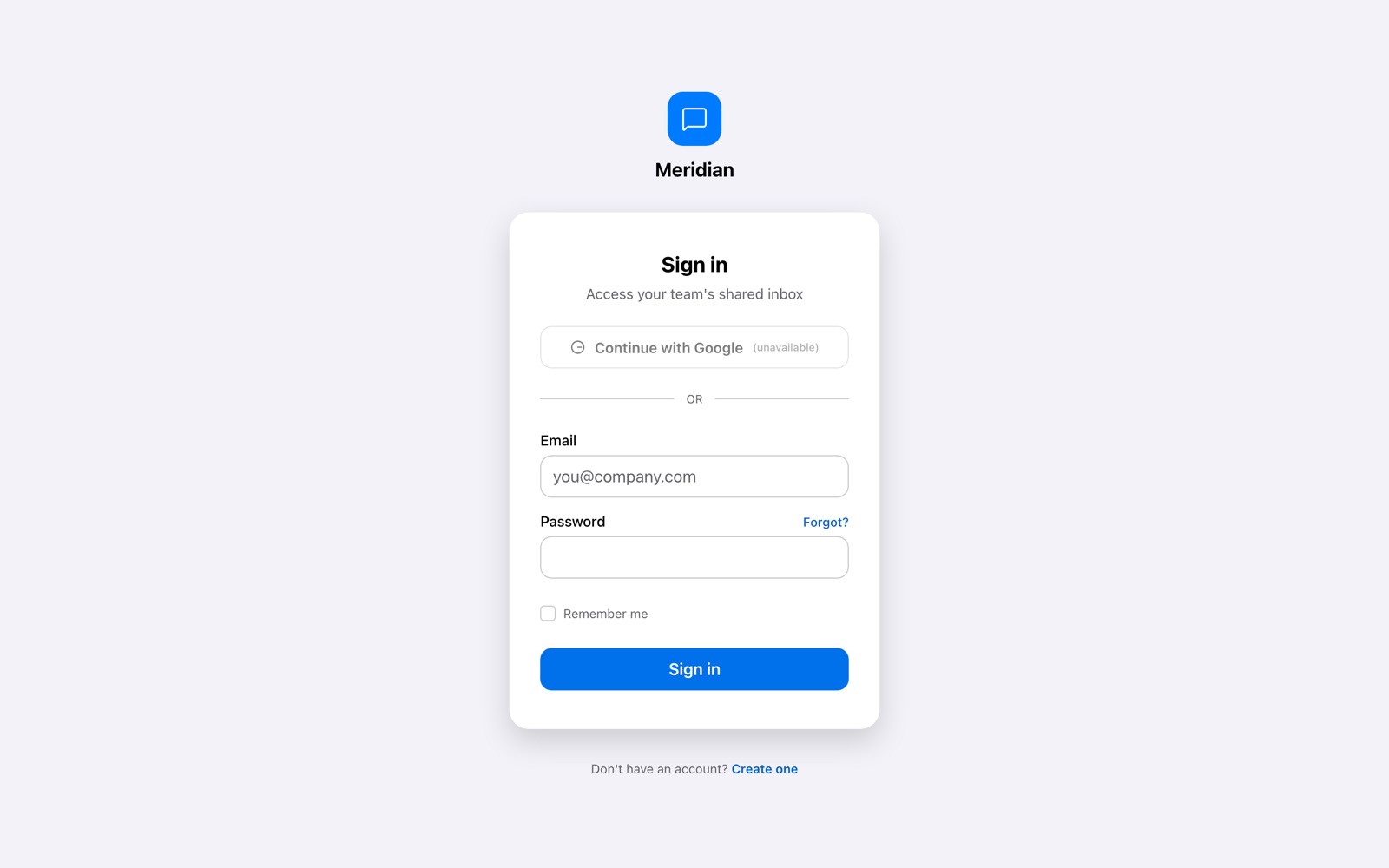
Sign in with Google, or email and password.
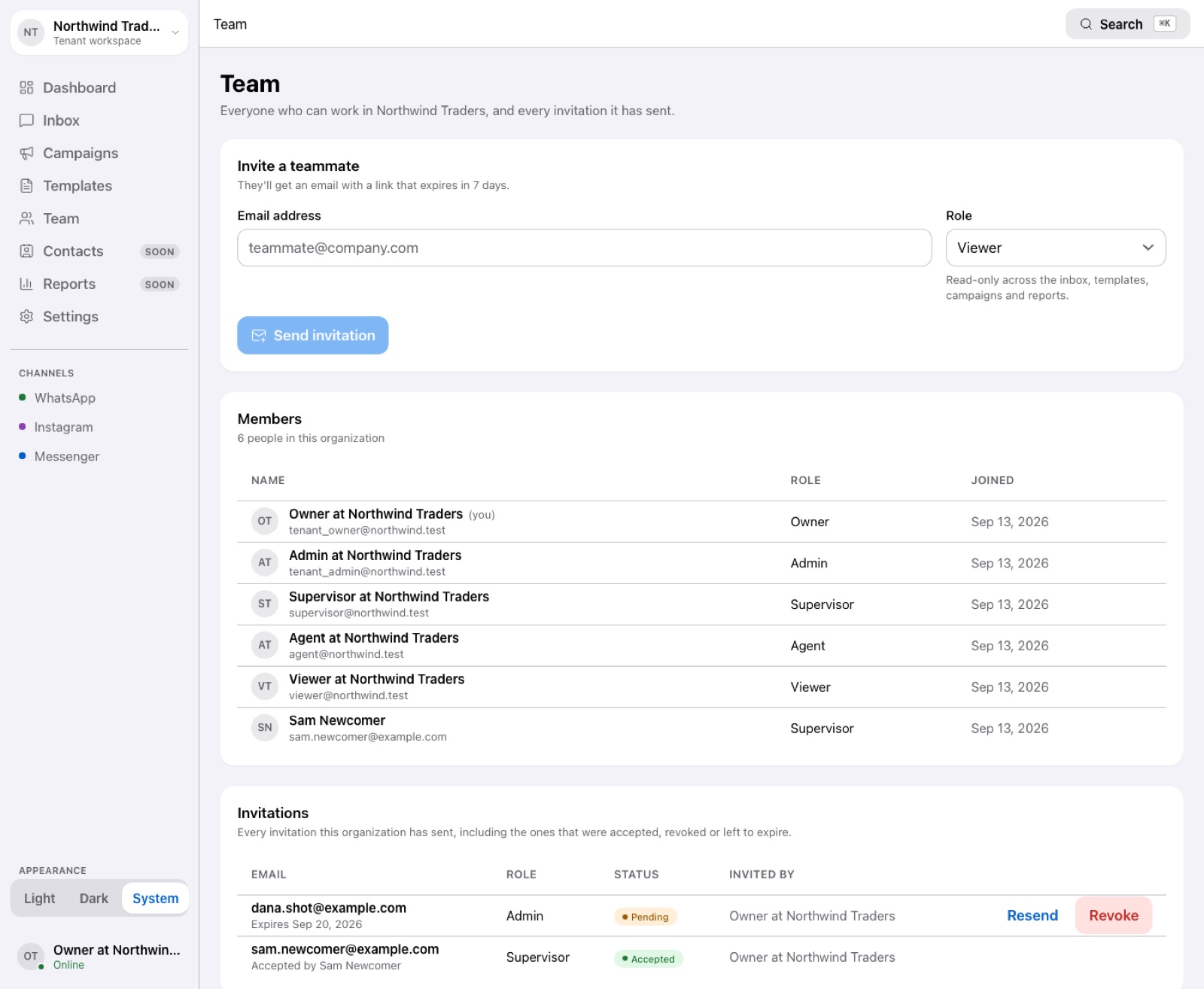
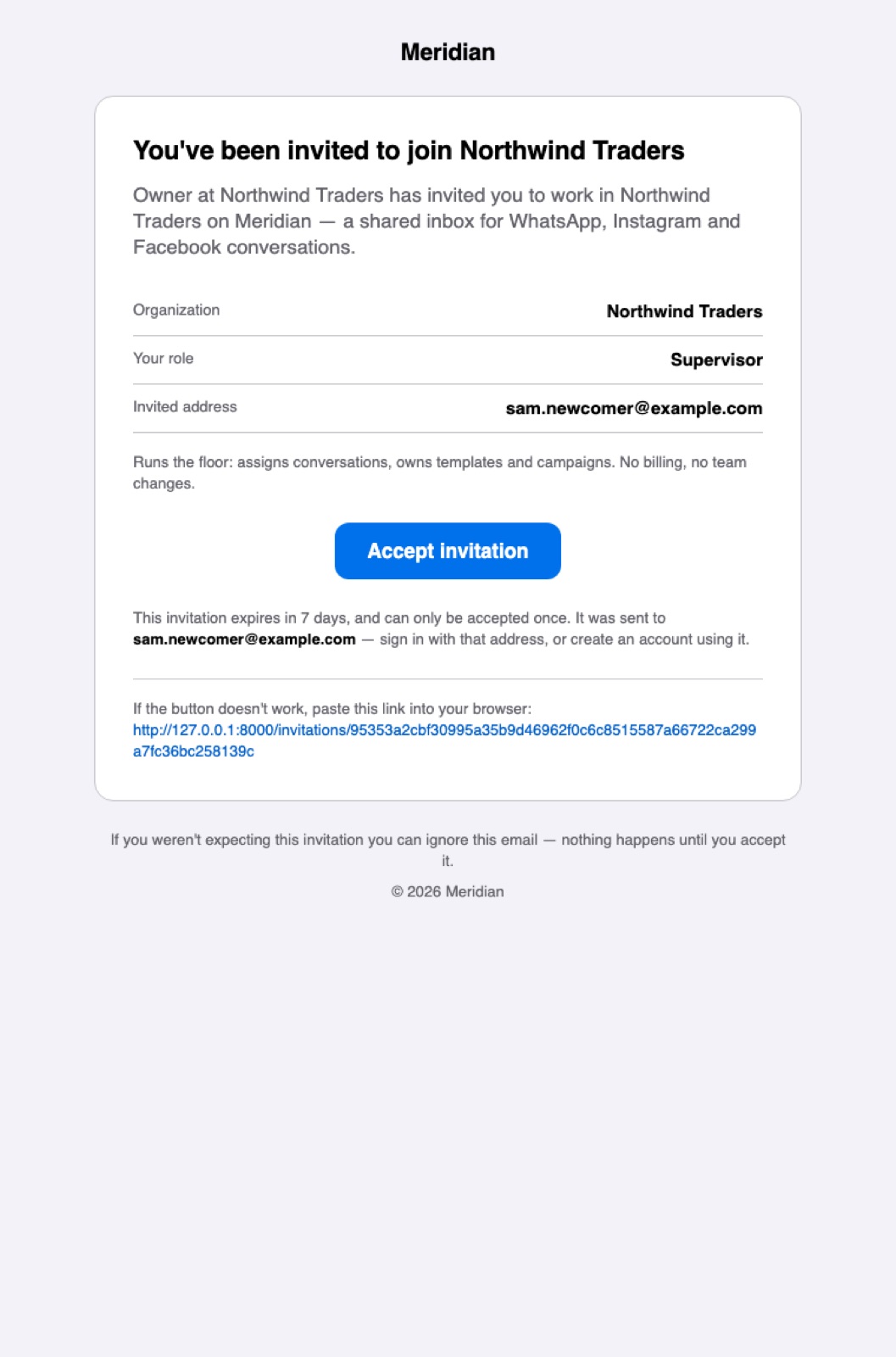
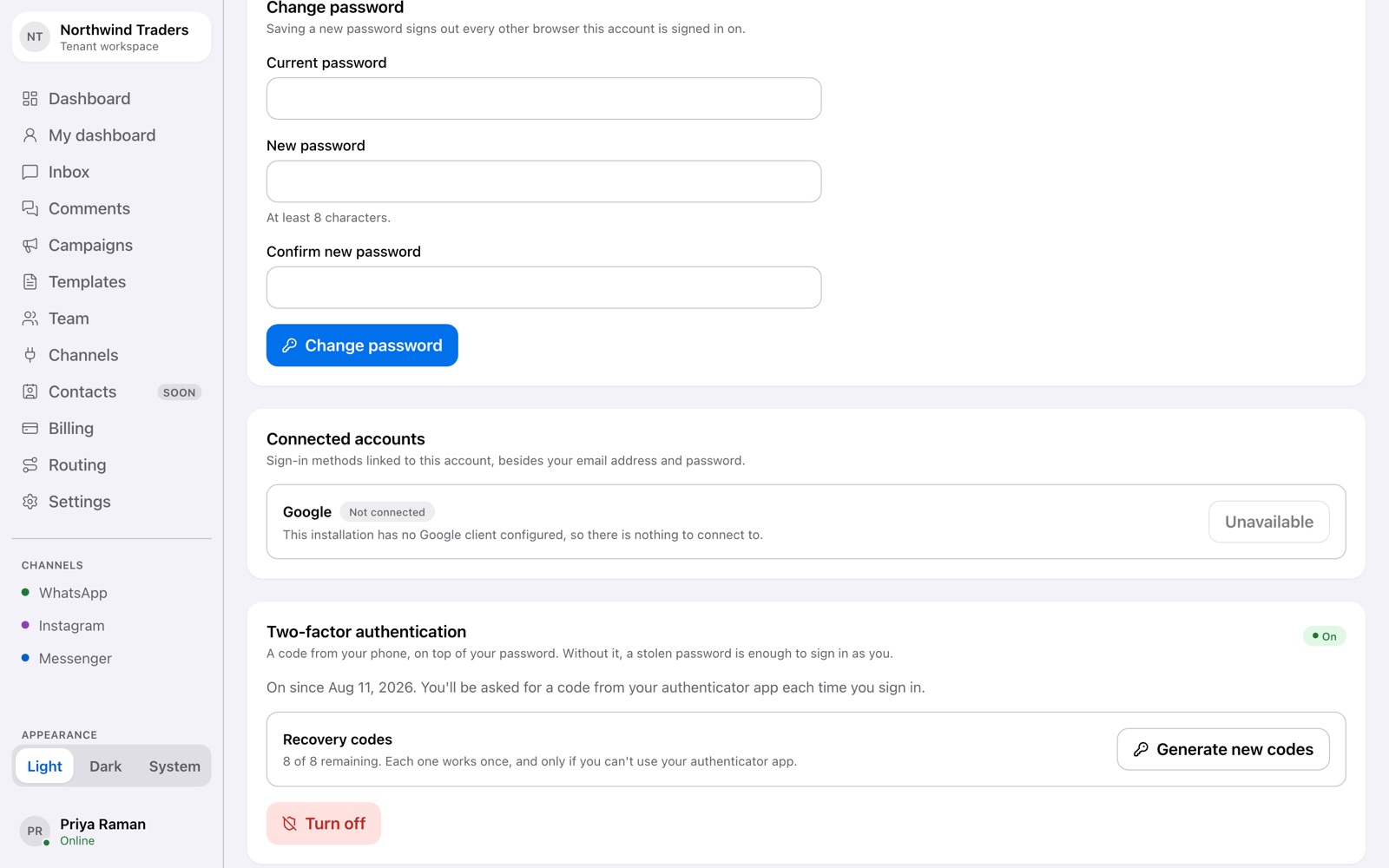
Two-factor authentication is available for any account, with single-use recovery codes. Invite teammates by email; each arrives with the role you chose.
Setup
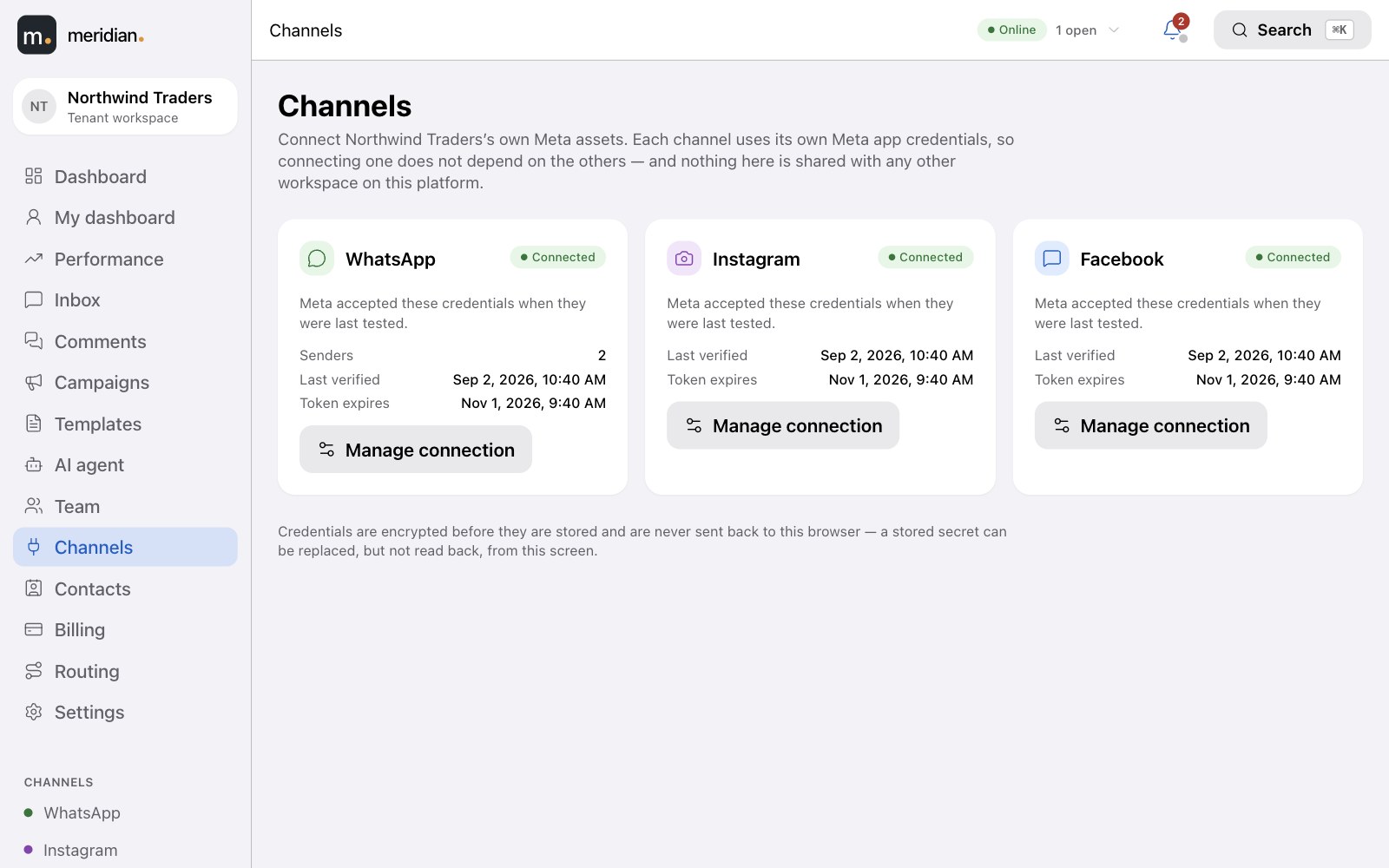
Connect your own Meta accounts in minutes.
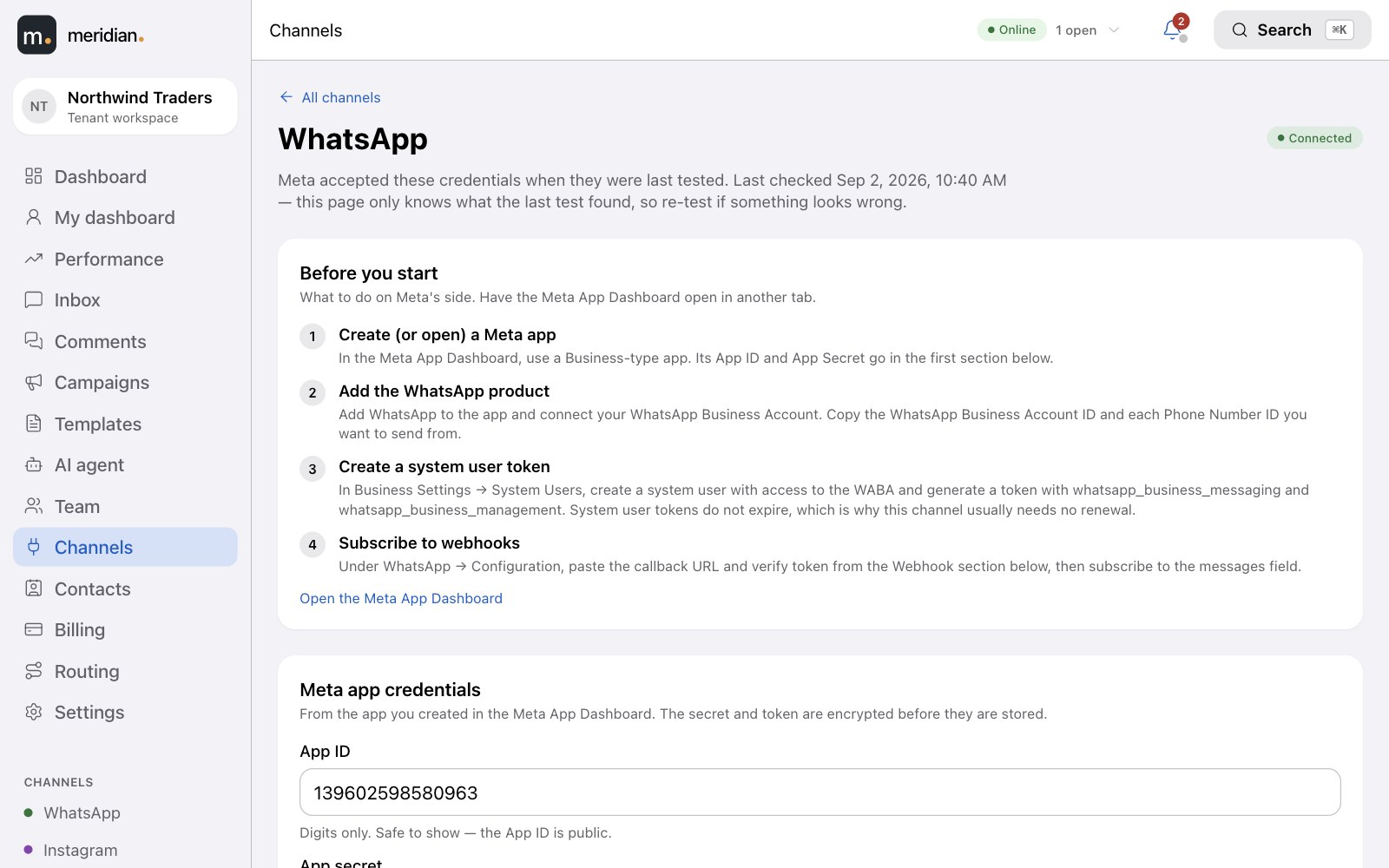
A guided setup for each channel — your WhatsApp Business Account, Instagram business account and Facebook Page. Add more than one WhatsApp number if you need to.
- Connection status per channel — checked automatically, with a clear warning if a token is about to expire.
- Your credentials stay yours — stored encrypted, never shown again after you save them.
- Copy-and-paste webhook details so the Meta side is done in one sitting.
The inbox
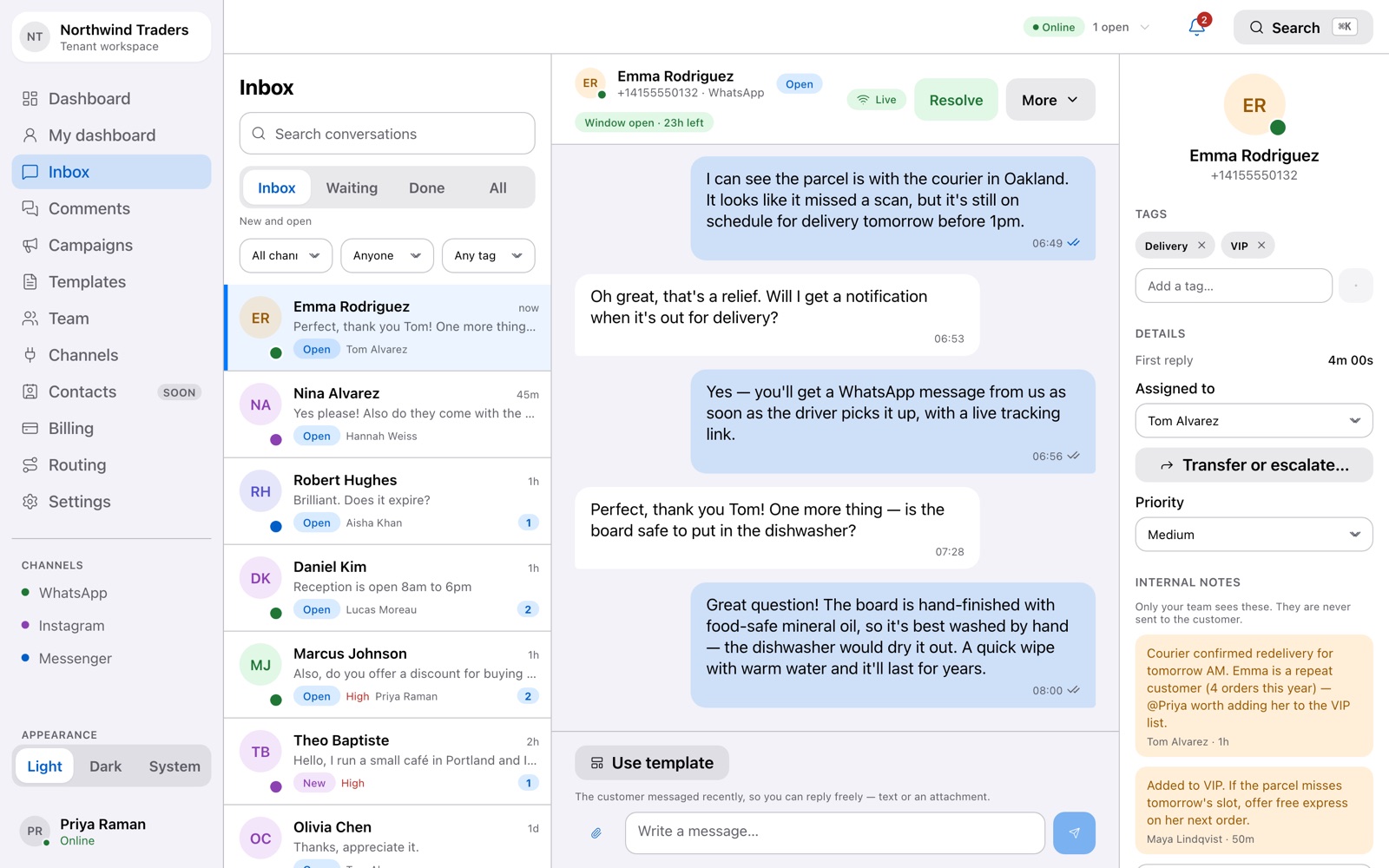
Every conversation, from every channel, in one list.
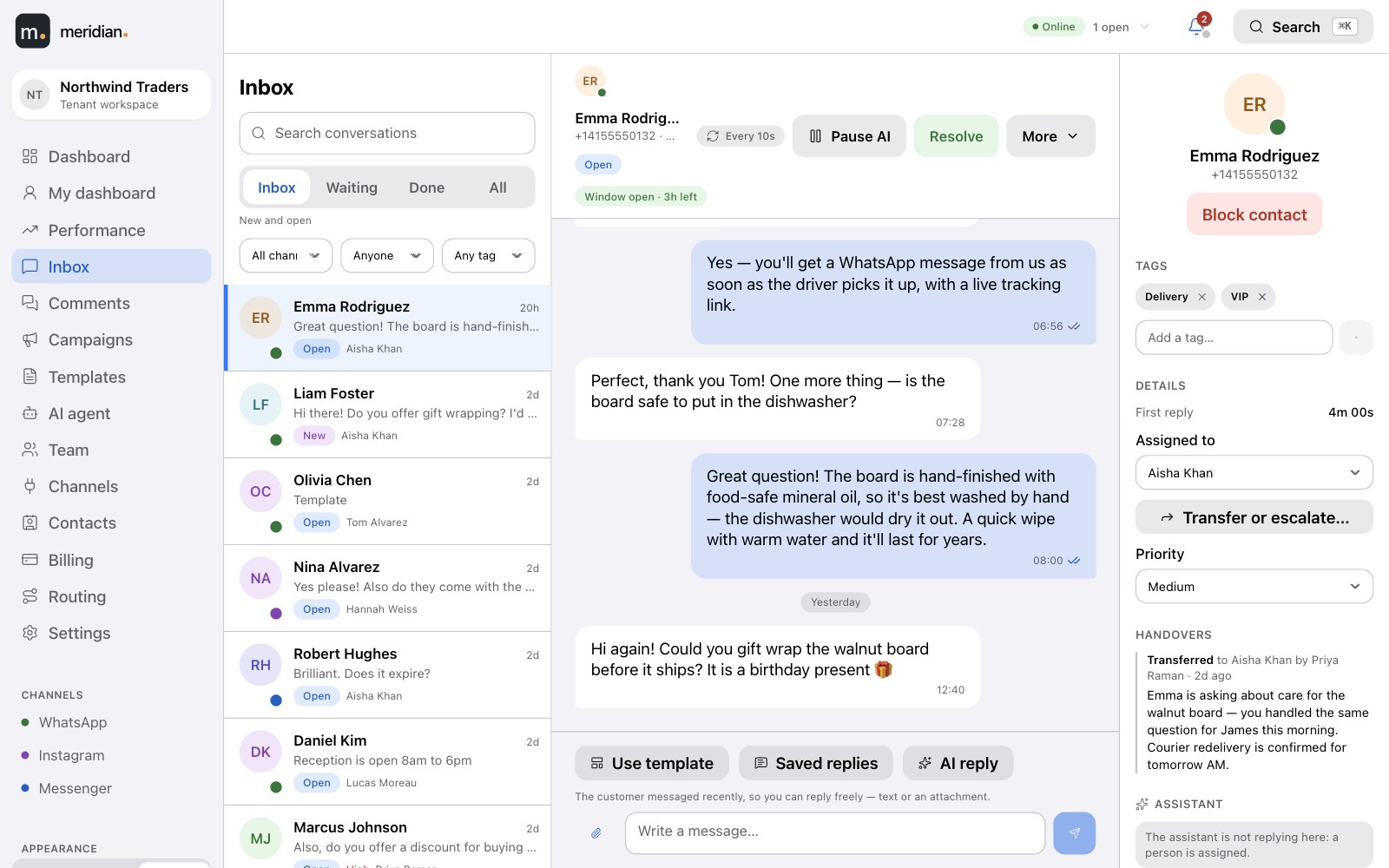

Filter by status, channel, assignee or tag. Open a conversation and the whole history is there — with the customer's details and your team's notes beside it.
- Channel at a glance — each conversation shows where it came from.
- Unread counts and last message so the queue reads like a to-do list.
- Search everything with ⌘K.
Tickets
Every conversation is a ticket with a life cycle.
Nothing gets lost in a thread. Each conversation moves through clear states, belongs to someone, and carries the context your team needs.
- Priority, tags and an assignee on every ticket.
- Internal notes only your team can see — never sent to the customer.
- A customer reply reopens a resolved ticket automatically; after it's closed, a fresh ticket starts.
Comments
Comments on your posts, answered from the same place.
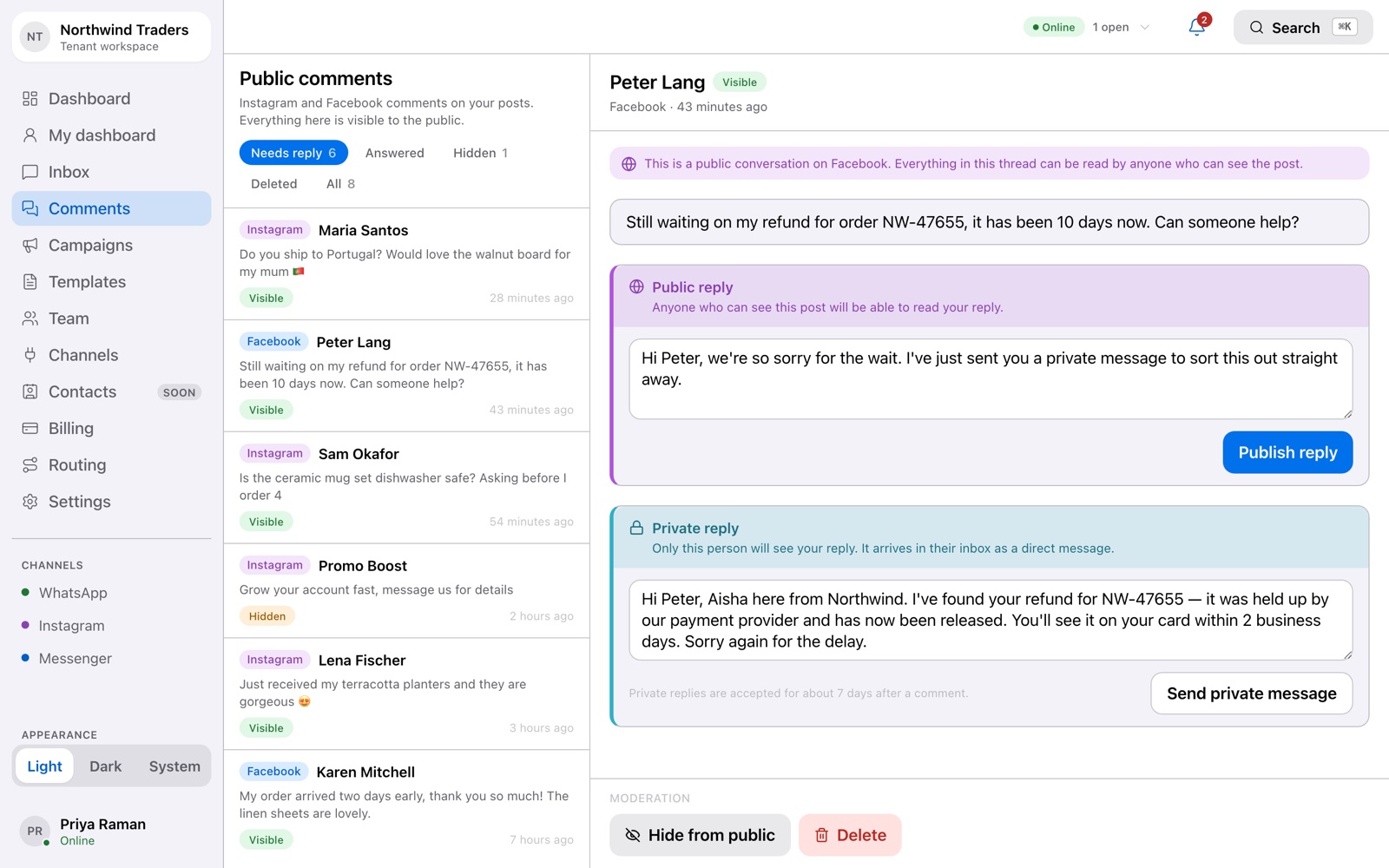
Instagram and Facebook comments arrive in their own queue, so nothing said in public goes unanswered.
- Reply in public under the post, or send a private message to take it into the inbox.
- Hide or delete spam and abuse with one click; hidden comments stay reviewable.
- Needs reply, answered, hidden — filter the queue the way you filter tickets.
Replying
Know exactly where every message is.
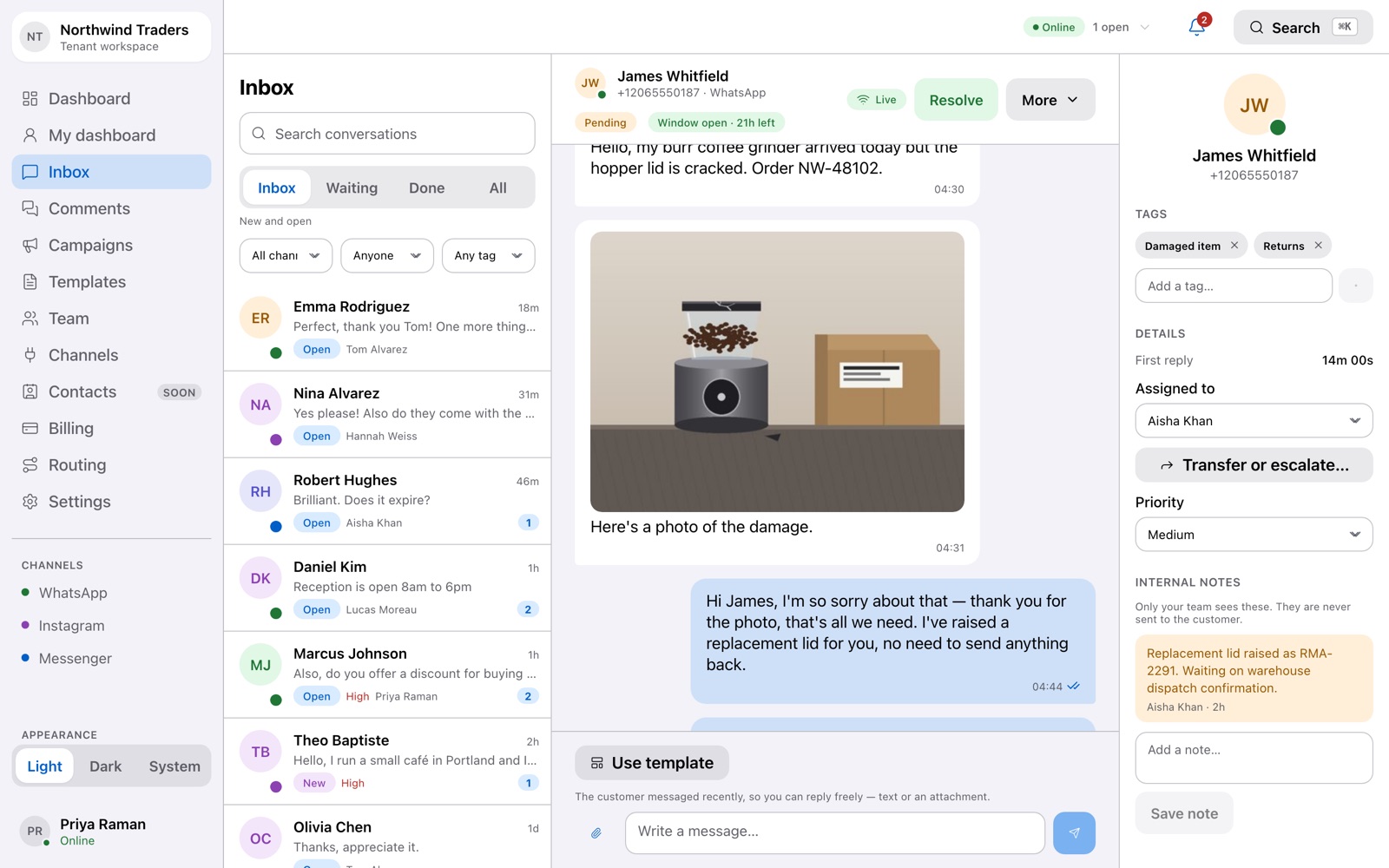

Delivery status comes straight from Meta — queued, sent, delivered, read — so what you see is what actually happened, not a guess.
- Photos and documents — receive them in the thread, and attach them to your replies.
- Reactions and read receipts shown where they belong.
- If Meta rejects a message, you see why — not a silent failure.
See it happen
From typed to read, in real time.
An agent sends a reply. It shows as queued, then Meta confirms it was sent, delivered and read — each tick appears the moment Meta reports it.
Compliance, built in
The 24-hour rule, handled for you.
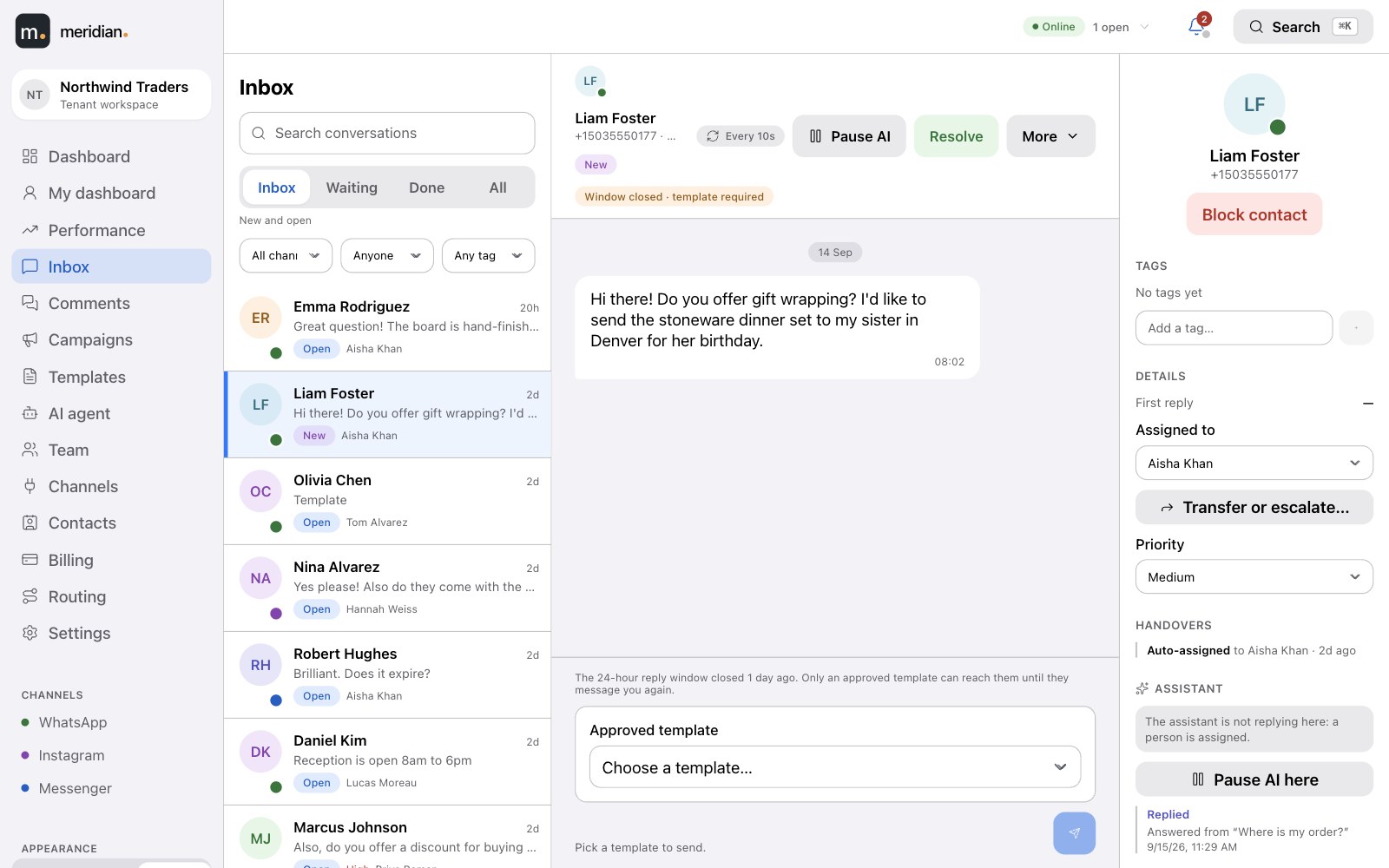
WhatsApp lets you reply freely for 24 hours after a customer writes in. After that, only an approved template can restart the conversation. Meridian knows which is which — so your team never has to.
- Window open: type and send, attach files, use a template if you like.

- Window closed: the composer offers your approved templates and nothing that would be rejected.
- A countdown on every conversation shows how long the window has left.
See it happen
The window closes. The composer adapts.
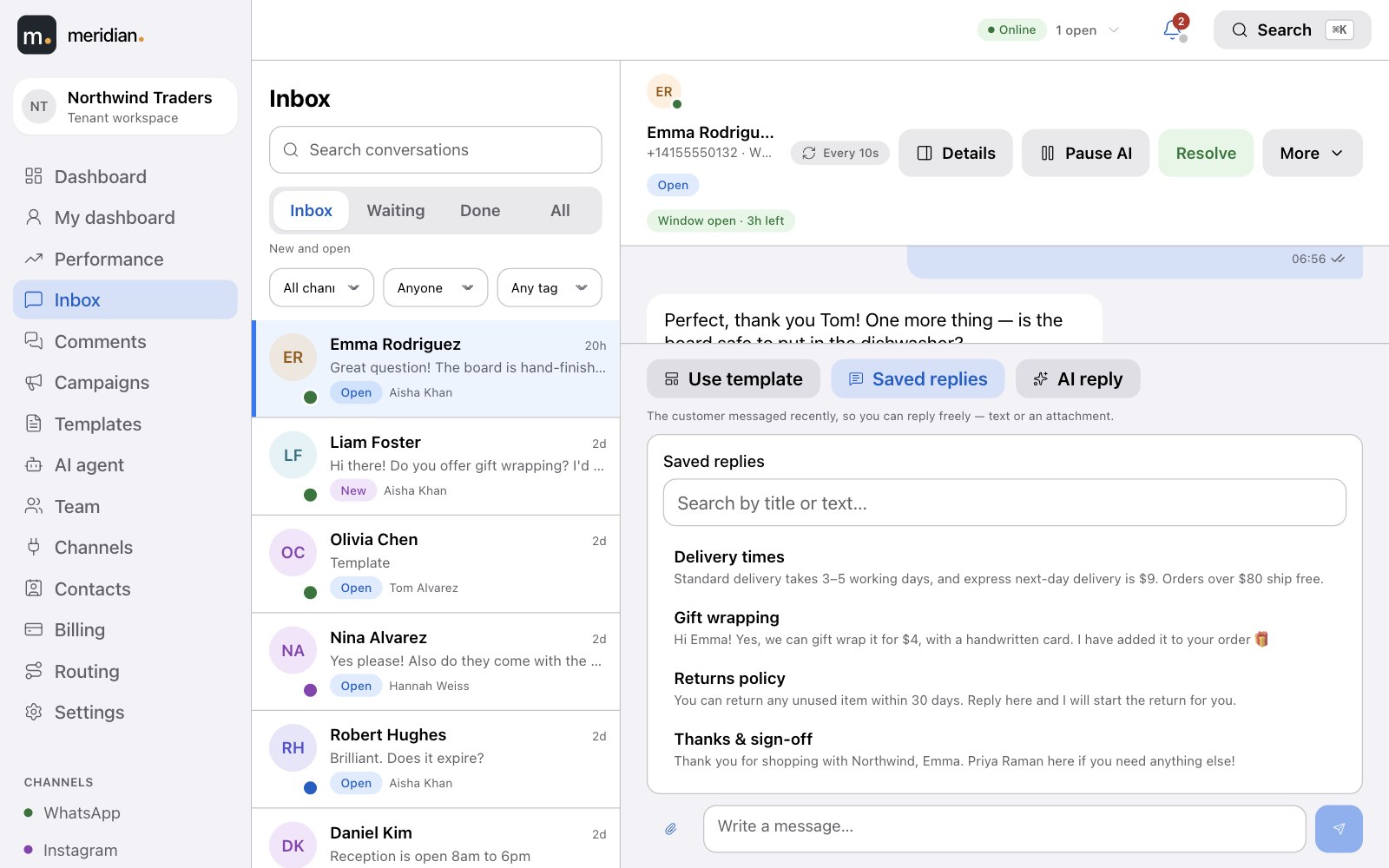
Free-text replies while the window is open; when it closes, the composer switches to approved templates, fills the variables with a live preview, and sends.
Answer faster
The right words, one click away.
Admins write the answers your team gives every day, once. Agents insert them from the composer and send — personalised, and consistent.
- Saved replies with placeholders such as the customer's and the agent's name, offered while the 24-hour window is open.
- You choose which approved templates agents can pick in the inbox.
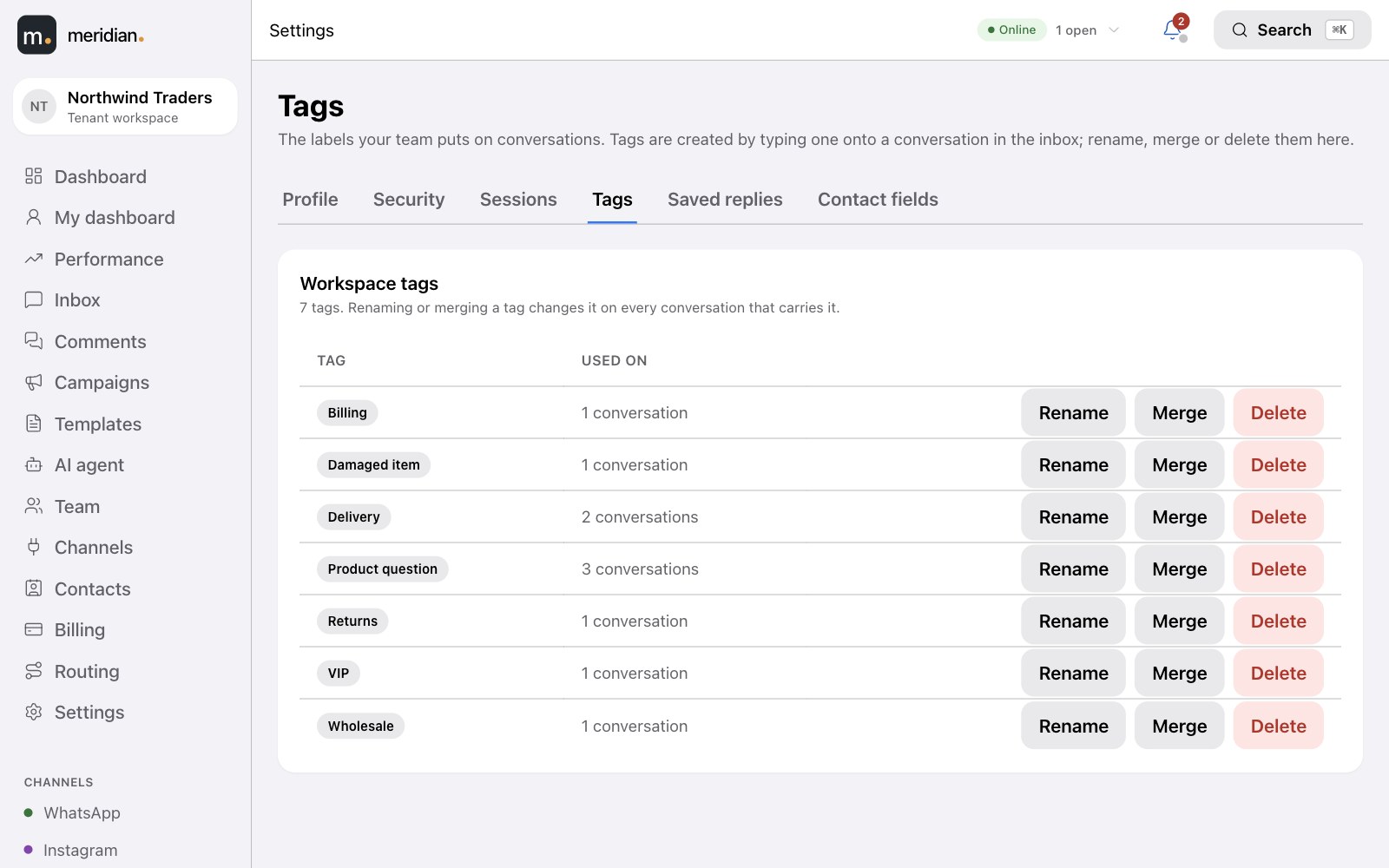
- Tidy tags — existing tags are suggested as you type, and admins can rename, merge or delete them everywhere at once.
Your team
Work reaches the right person, automatically.
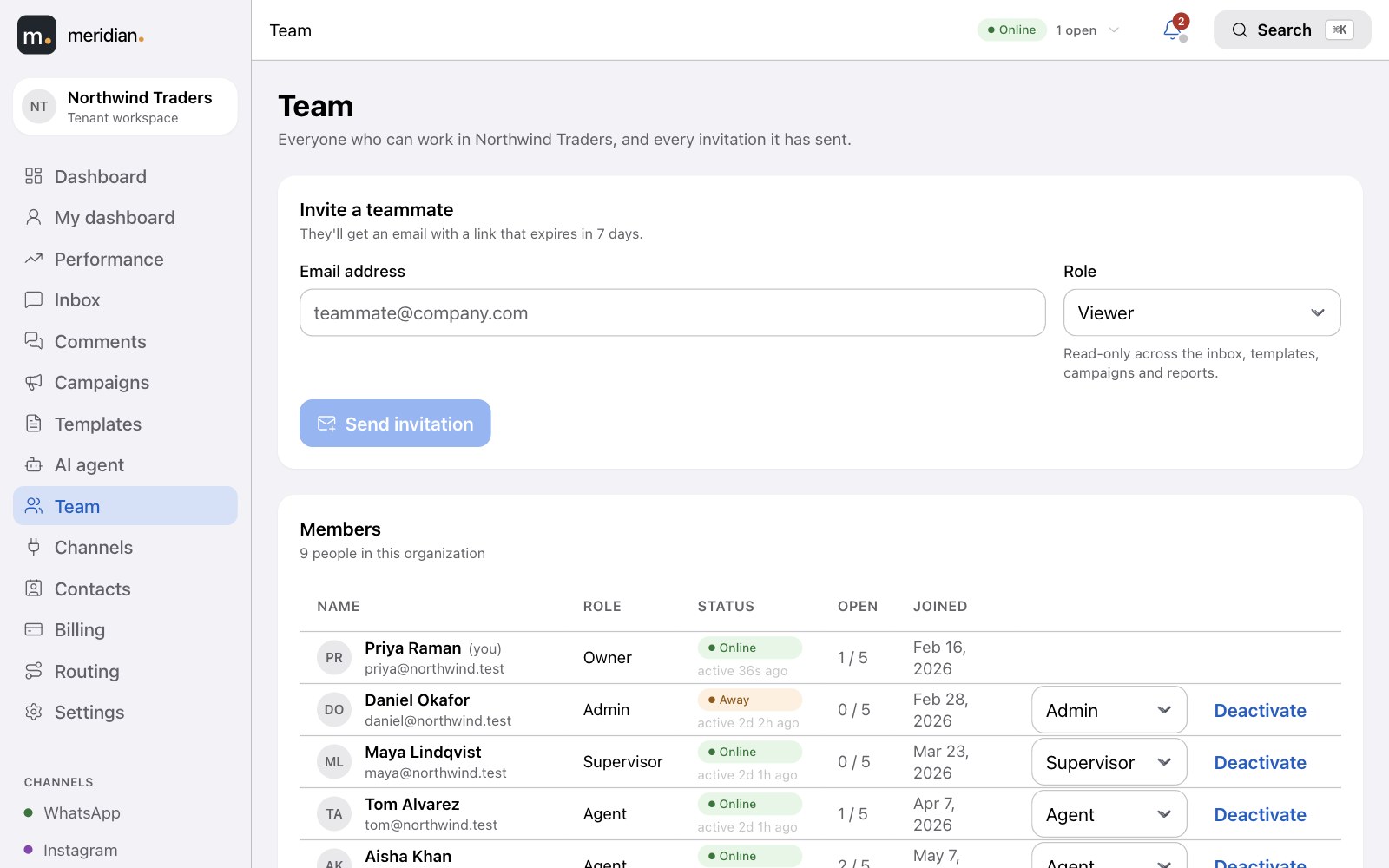
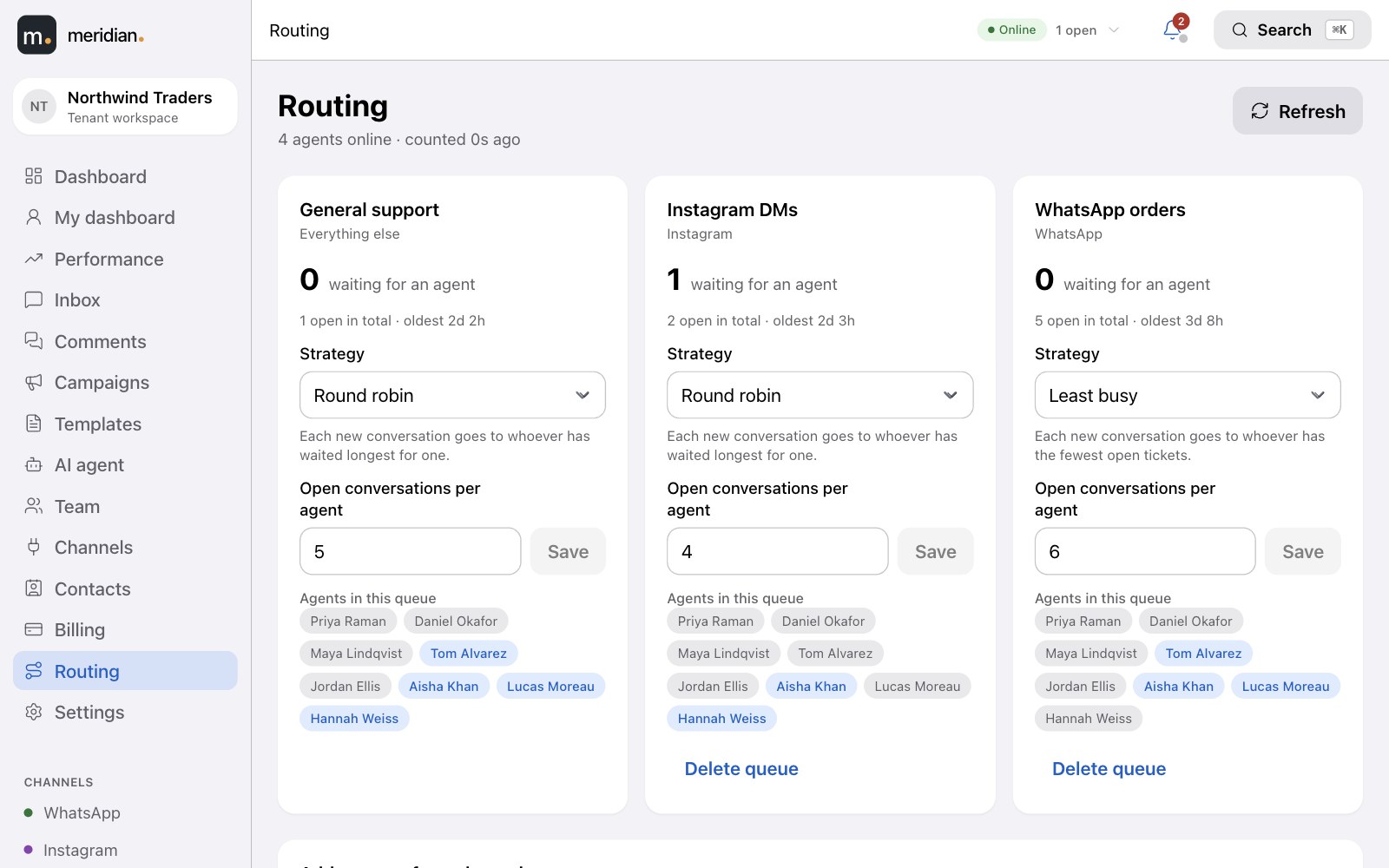
Agents set their status; new tickets are routed round-robin or to whoever is least busy, never past an agent's limit. Supervisors see the whole floor and can reassign in a click.
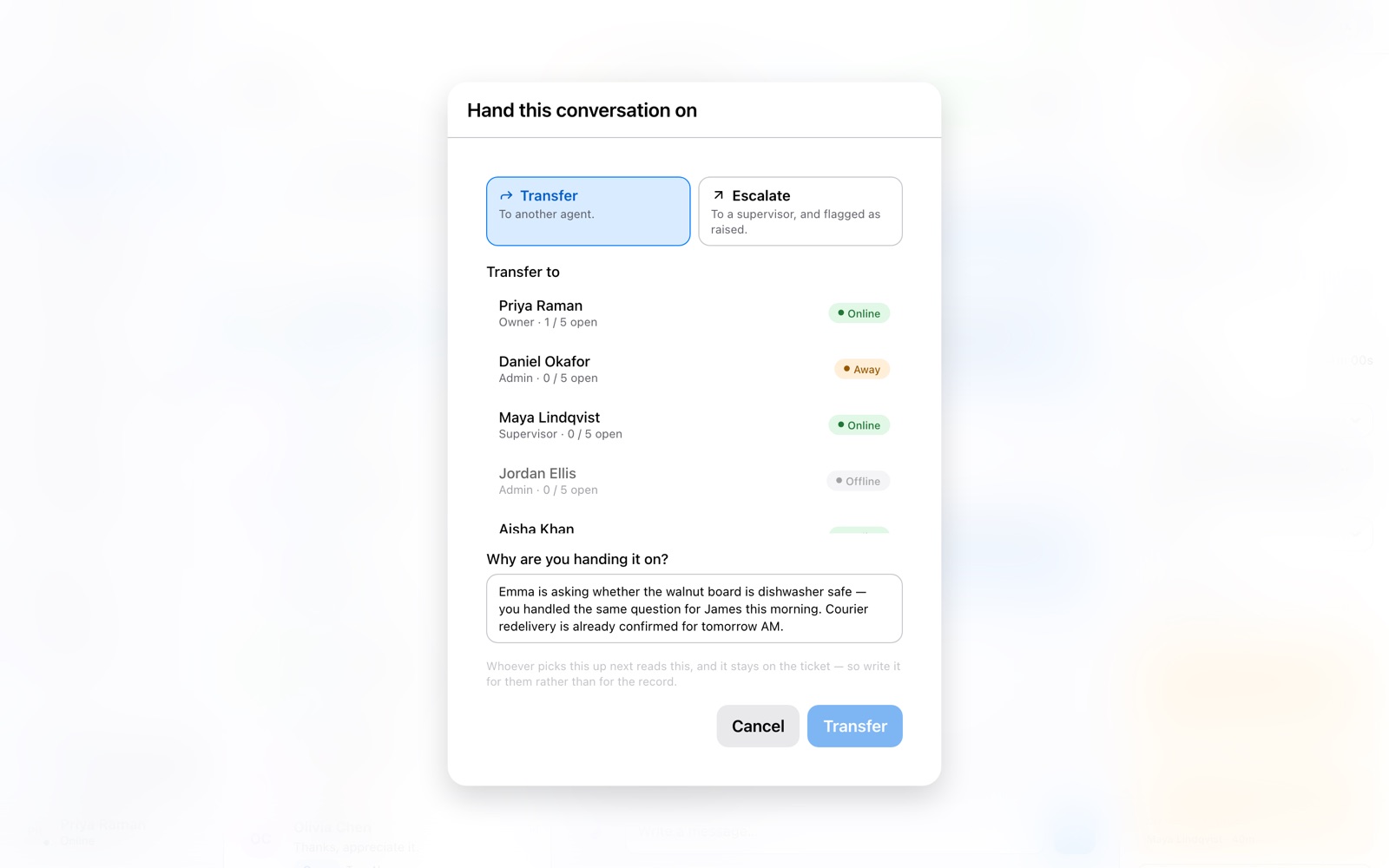
- Transfer and escalate with a reason, so the next person has the story.
- Roles for everyone — owner, admin, supervisor, agent, viewer.
- Going home? An agent's open tickets are handed back to the queue.
See it happen
Step away, hand over, come back.
An agent goes on break and comes back online; a conversation is handed to a colleague with a note, and the hand-over is recorded on the ticket.
New · AI agent
An AI agent that answers like your best colleague.
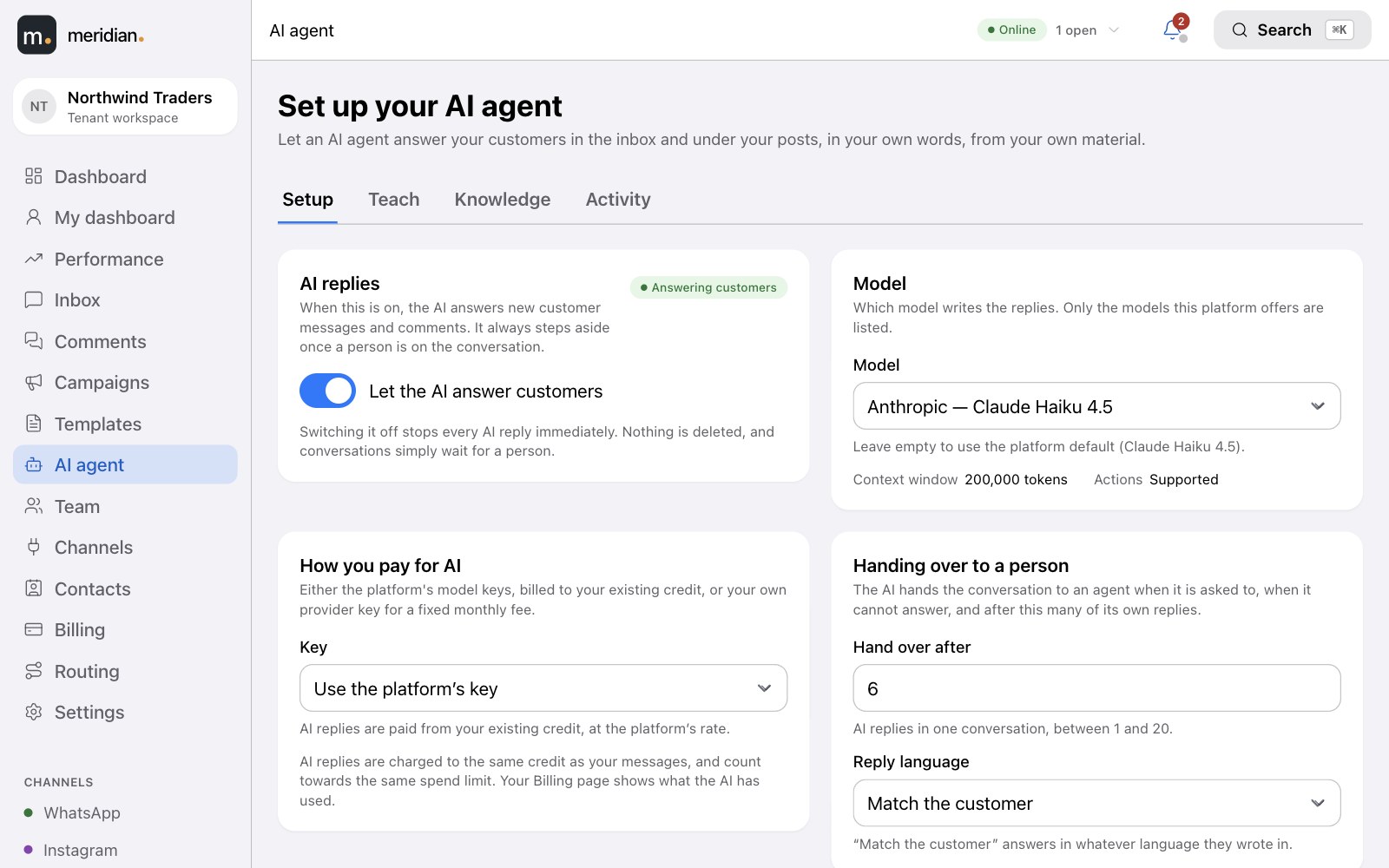
Switch it on and it replies to customers in the inbox and under your posts — in your voice, from your own material — and steps aside the moment a person should take over.
- One switch turns every AI reply off immediately. Nothing is deleted; conversations simply wait for a person.
- Leading models from OpenAI, Anthropic, Google, DeepSeek and Moonshot — pick from the ones offered to you.
- Answers in the customer's language, and hands over after the number of replies you set.
Teach it
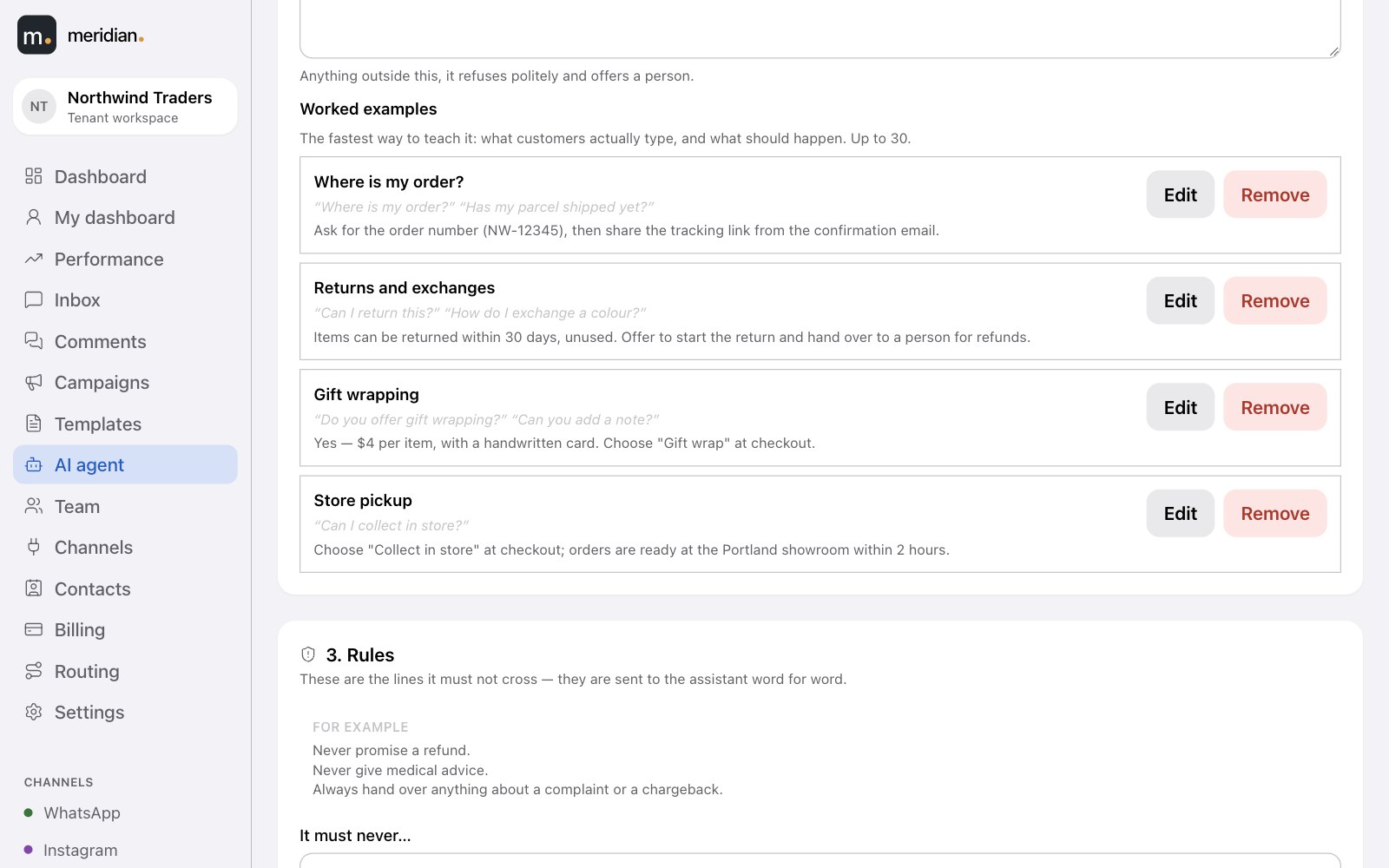
Teach it like a new hire, not a prompt.
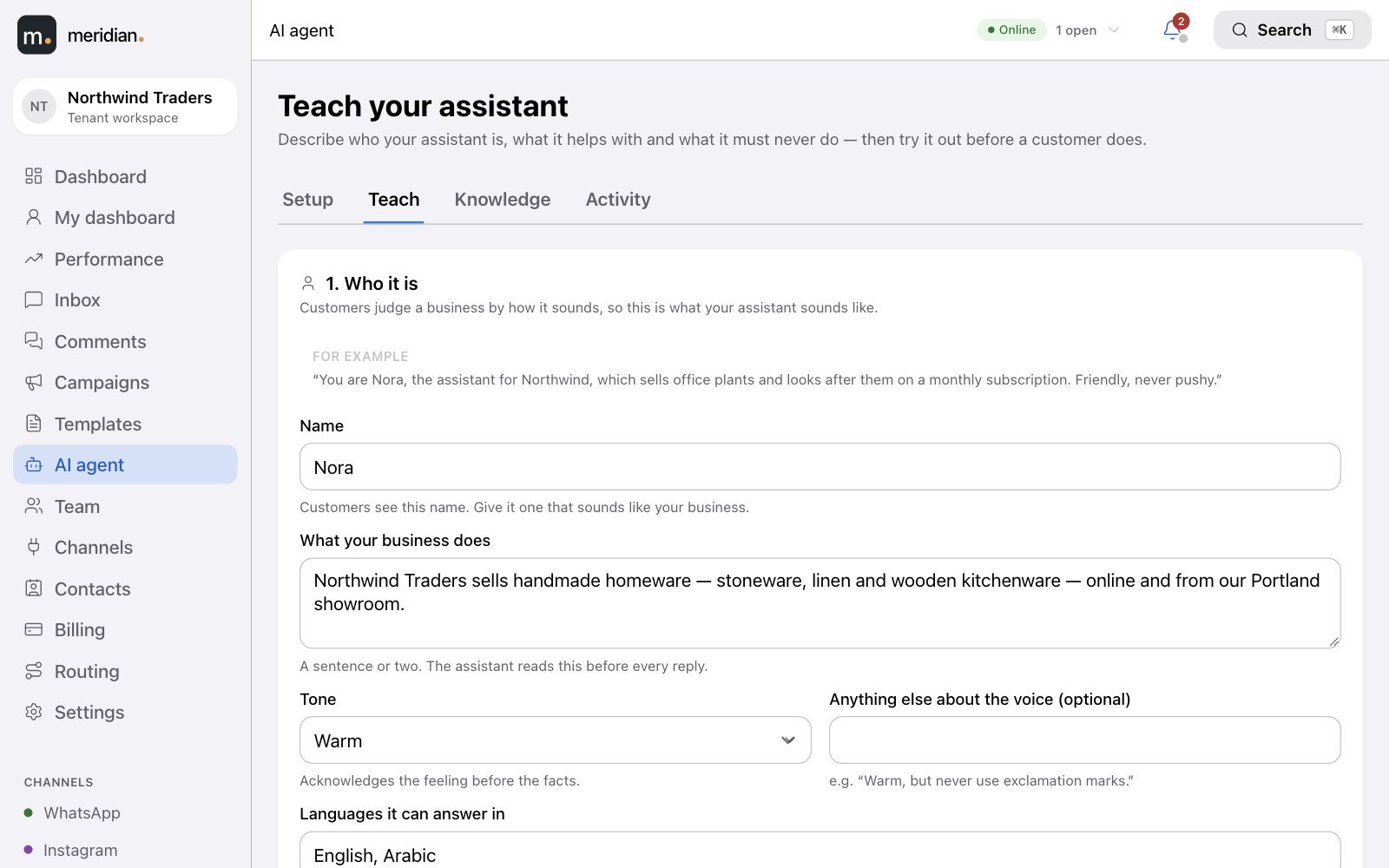
A guided page asks what a good manager would tell a new team member — in order — and writes the instructions for you.
- A name, a tone and a scope — anything outside it is politely refused and offered to a person.
- Worked examples — what customers really type, and what should happen.
- Try it before a customer does — nothing in the test reaches anyone.
Knowledge
It only says what your material says.
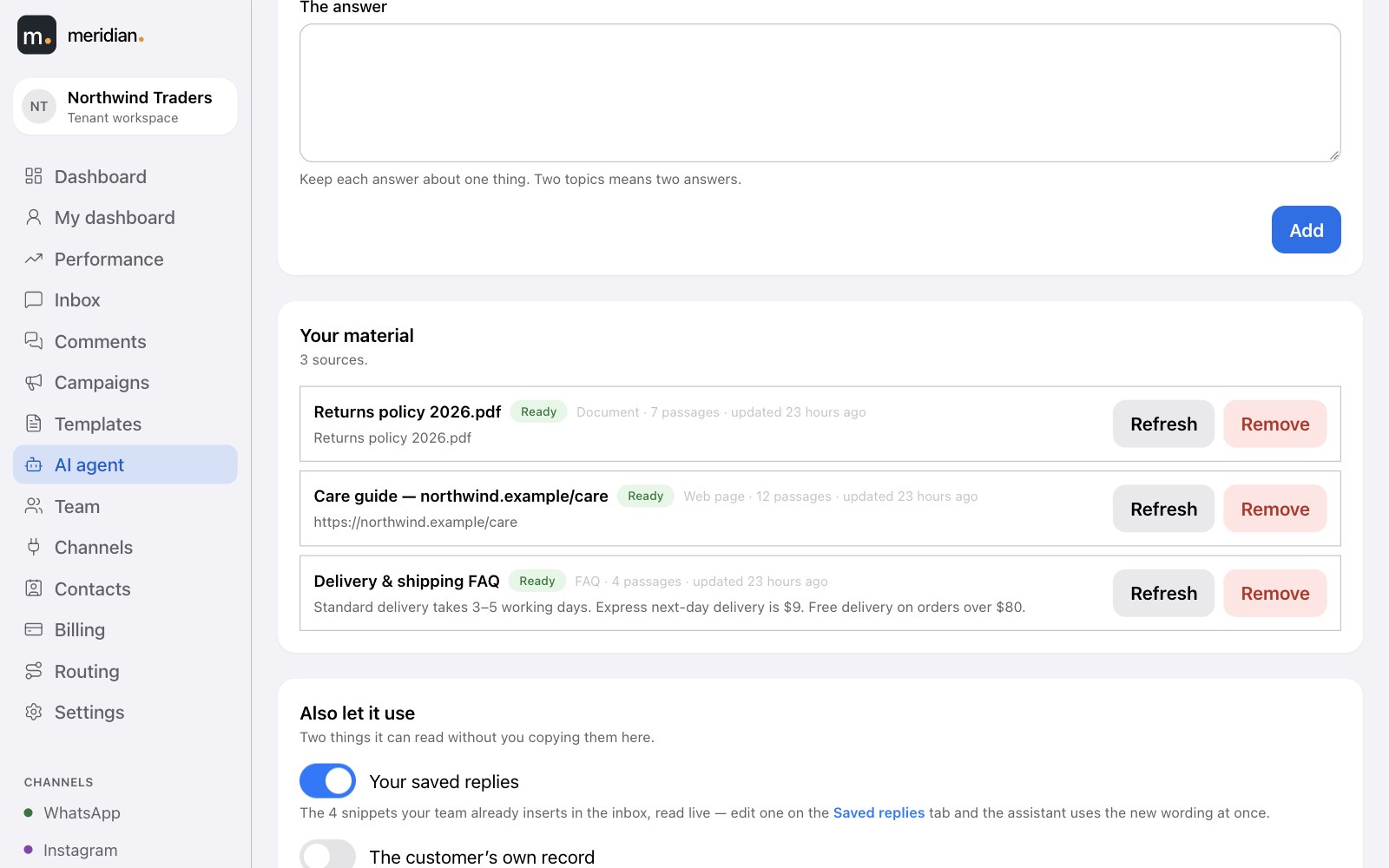
Give it the answers you already have. It states facts it finds there — and anything it can't find, it hands to a person instead of guessing.
- Write an answer, upload a file or point at a web page — PDF, Word, text and Markdown; refresh any source in a click.
- Your saved replies, live — edit one and the assistant uses the new wording at once.
- Your data stays yours — it never draws on another workspace's material.
Always in your control
It knows when to hand over to a person.
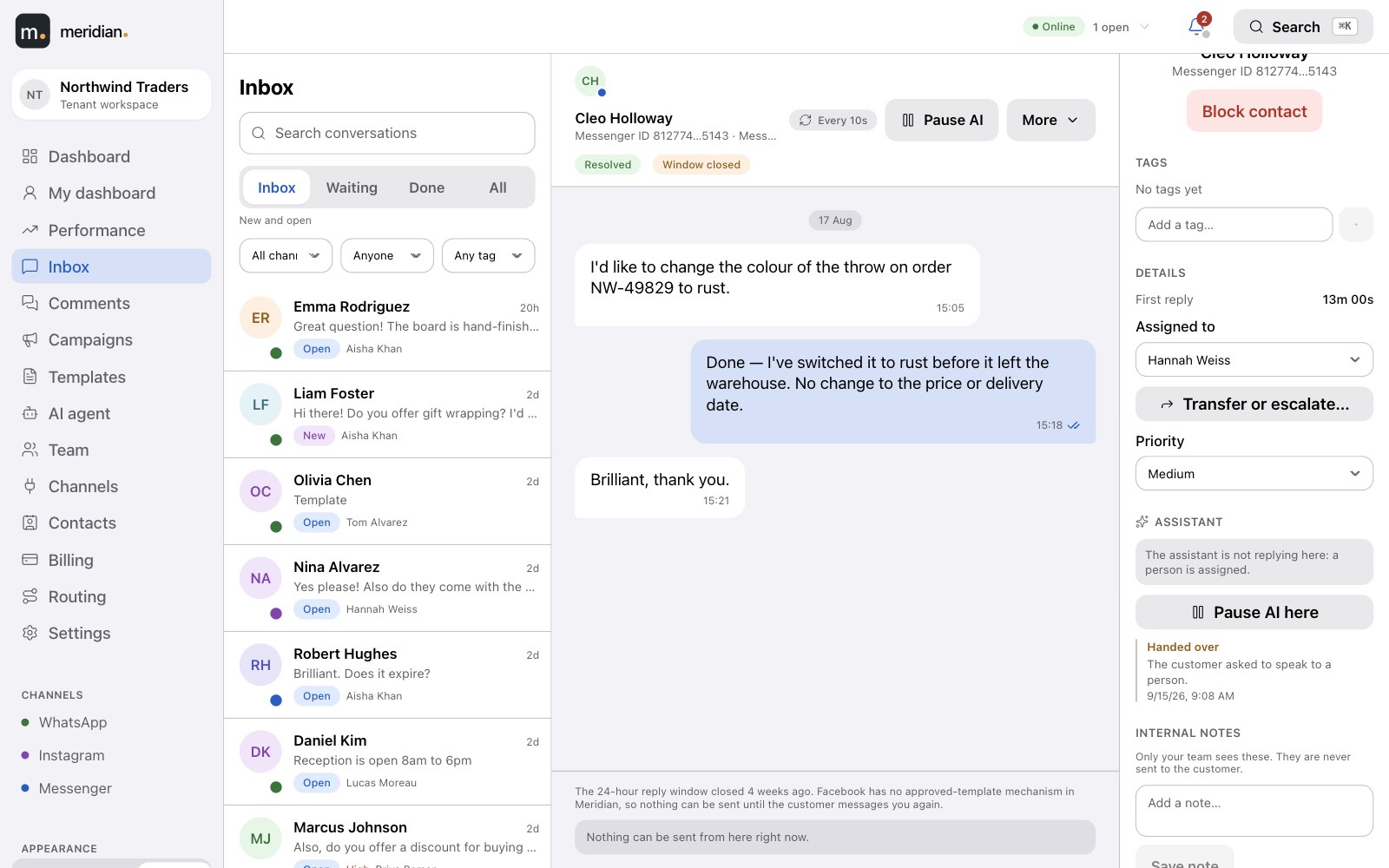
The assistant hands a conversation to a person — through your normal routing, with the reason on the ticket — and stays silent once someone is on it.
- Pause AI here on any conversation or comment thread — and see who paused it and when.
- Voice notes and photos — it transcribes voice notes (agents see the transcript too) and reads photos; videos go straight to a person.
- Comments too — it can answer under your posts, publicly or privately, as you choose.
Activity & cost
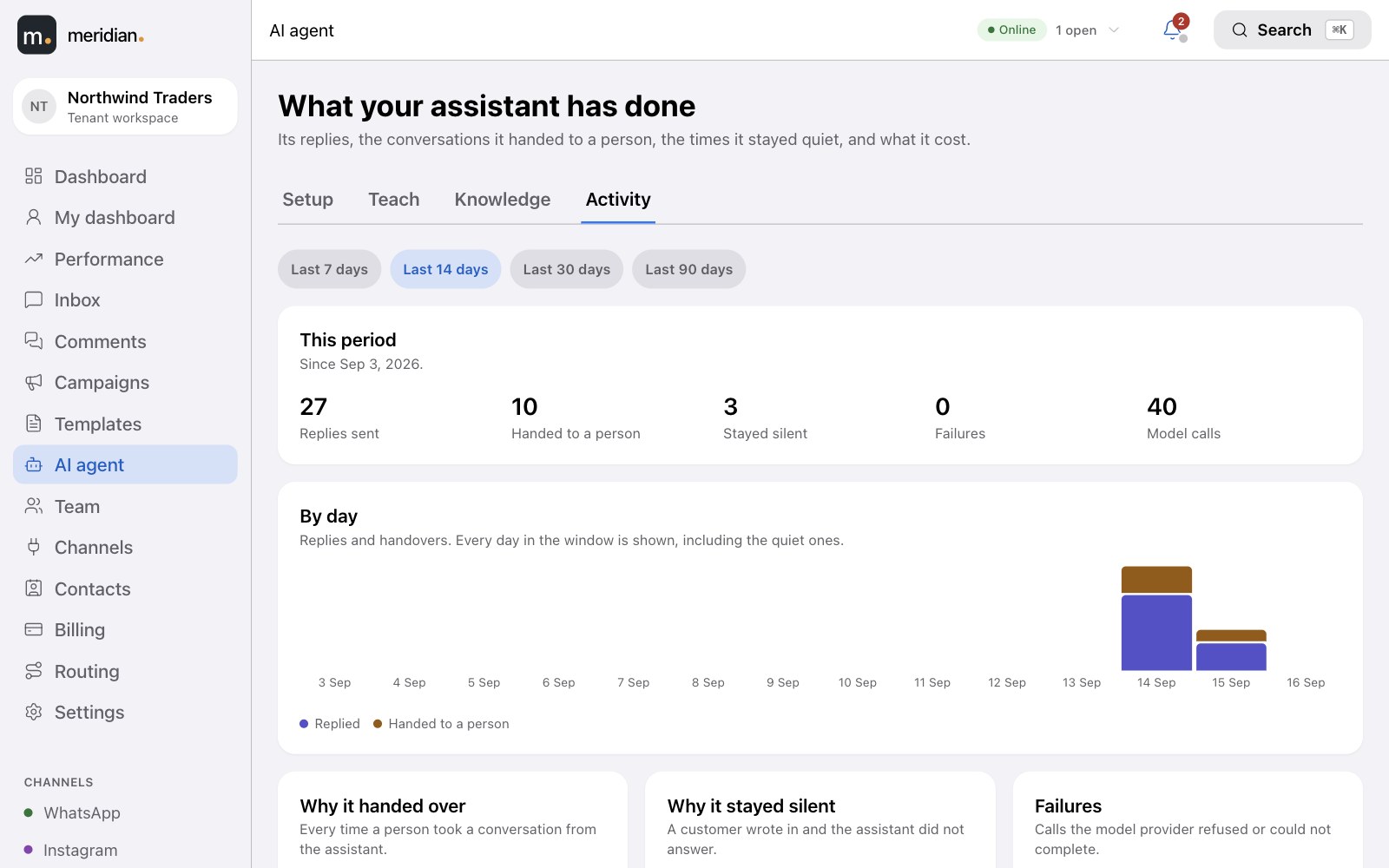
See everything it did — and what it cost.
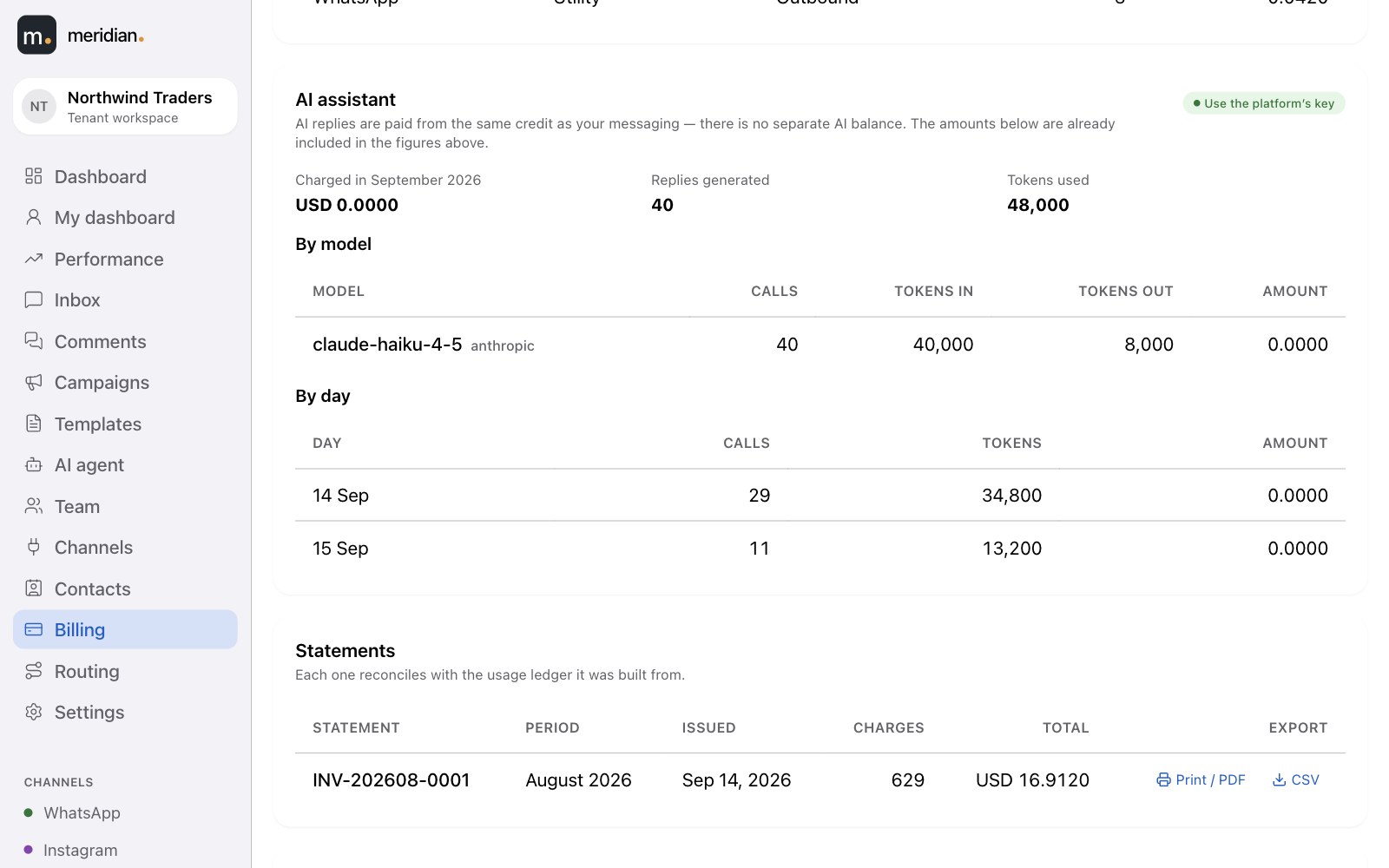
Replies, hand-overs, the times it stayed quiet and why, tokens and spend by model. Pay for AI the way that suits you.
From your credit
Use the platform's model keys. AI replies are paid from the same balance and spend limit as your messages — no second wallet — and shown on your statement.
With your own key
Bring your own provider key and pay the provider directly, plus a fixed monthly fee on your statement.
Templates
Build templates here. Watch Meta approve them.
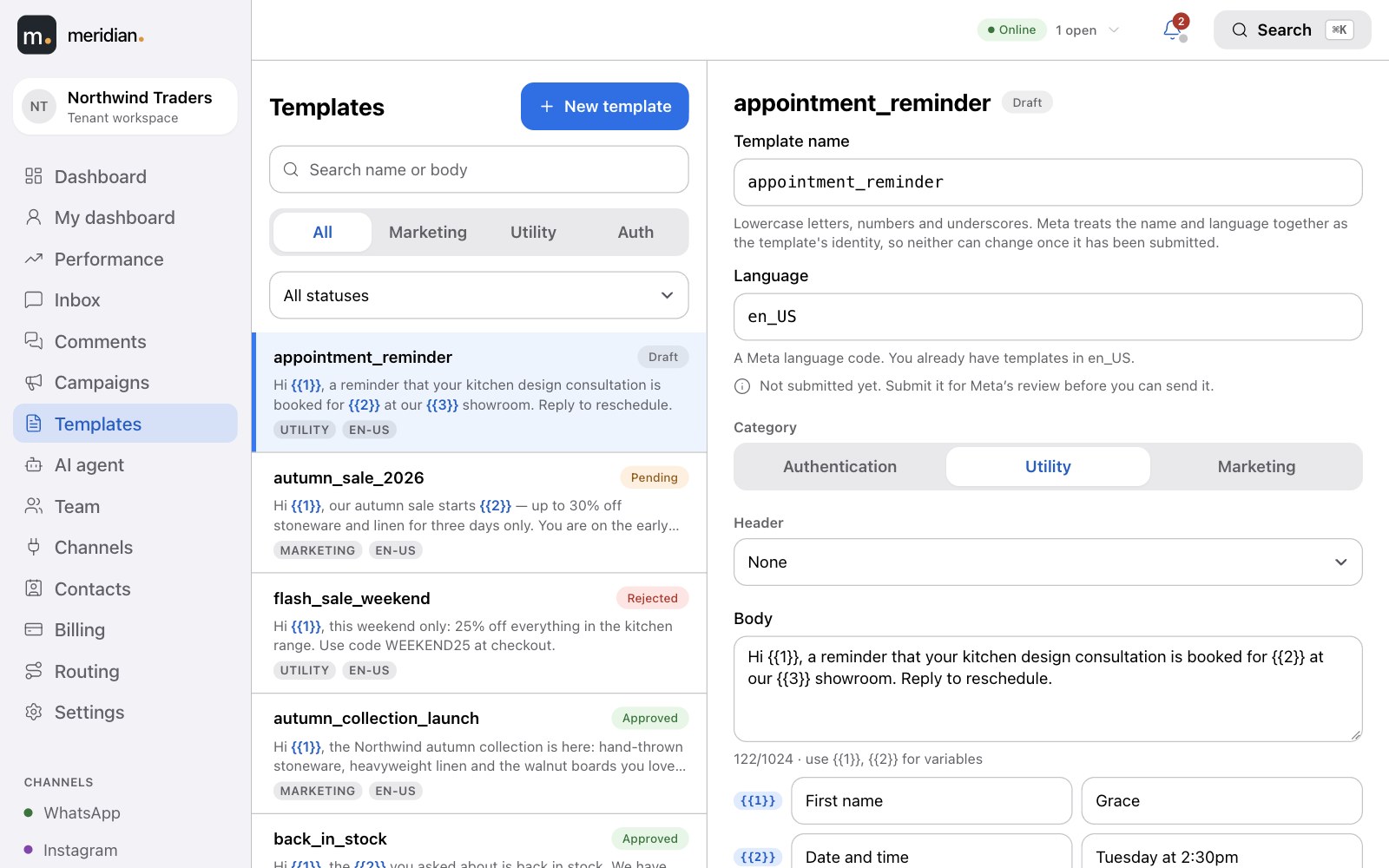
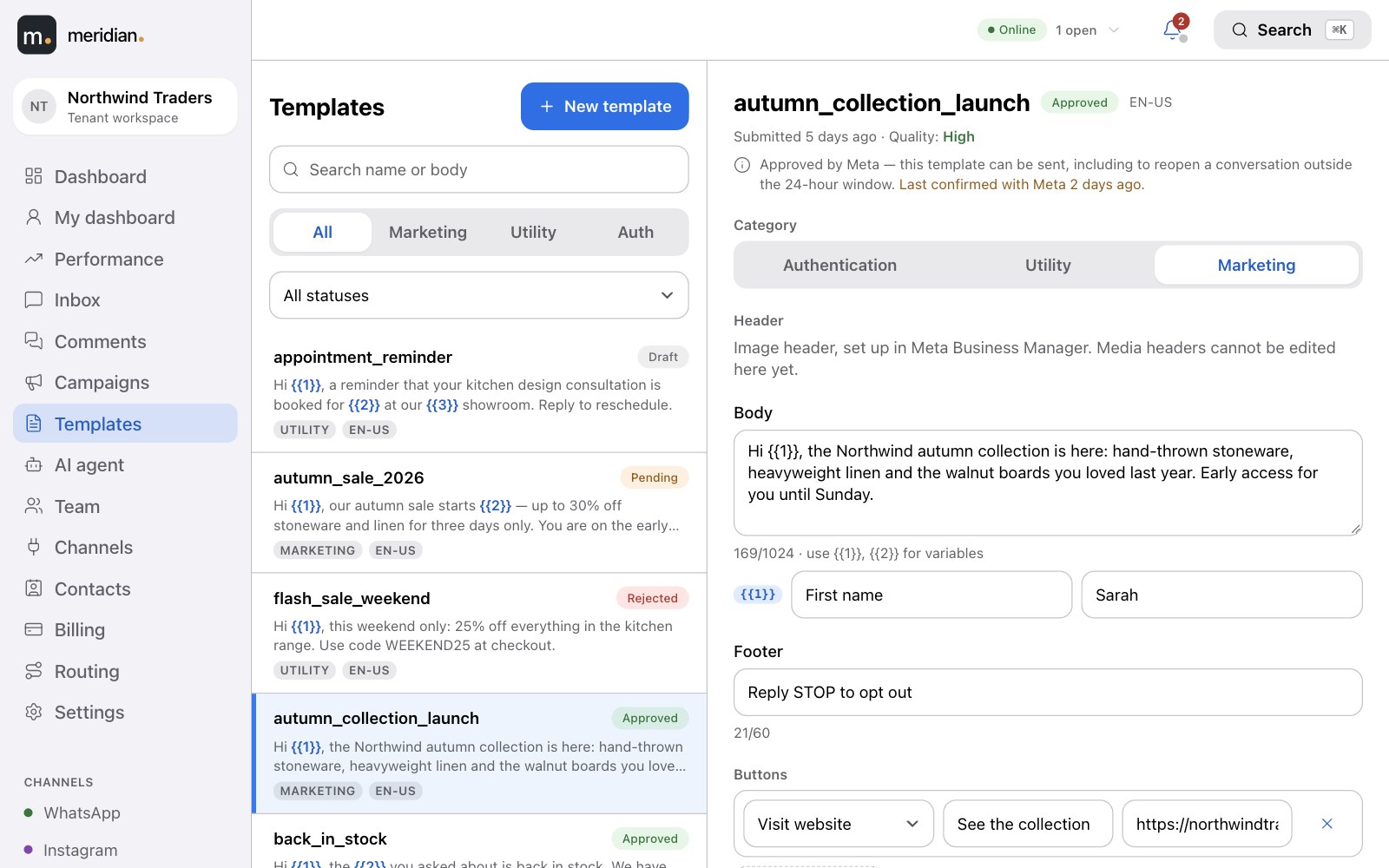
Write the header, body, footer and buttons with a live preview of exactly what the customer will see. Submit to Meta from the same screen, and the approval status updates itself.
- Marketing, utility and authentication categories, in any language.
- Templates you created in Meta Business Manager are picked up too.
- Only approved templates can ever be sent — and you choose which ones agents see in the inbox.
Campaigns
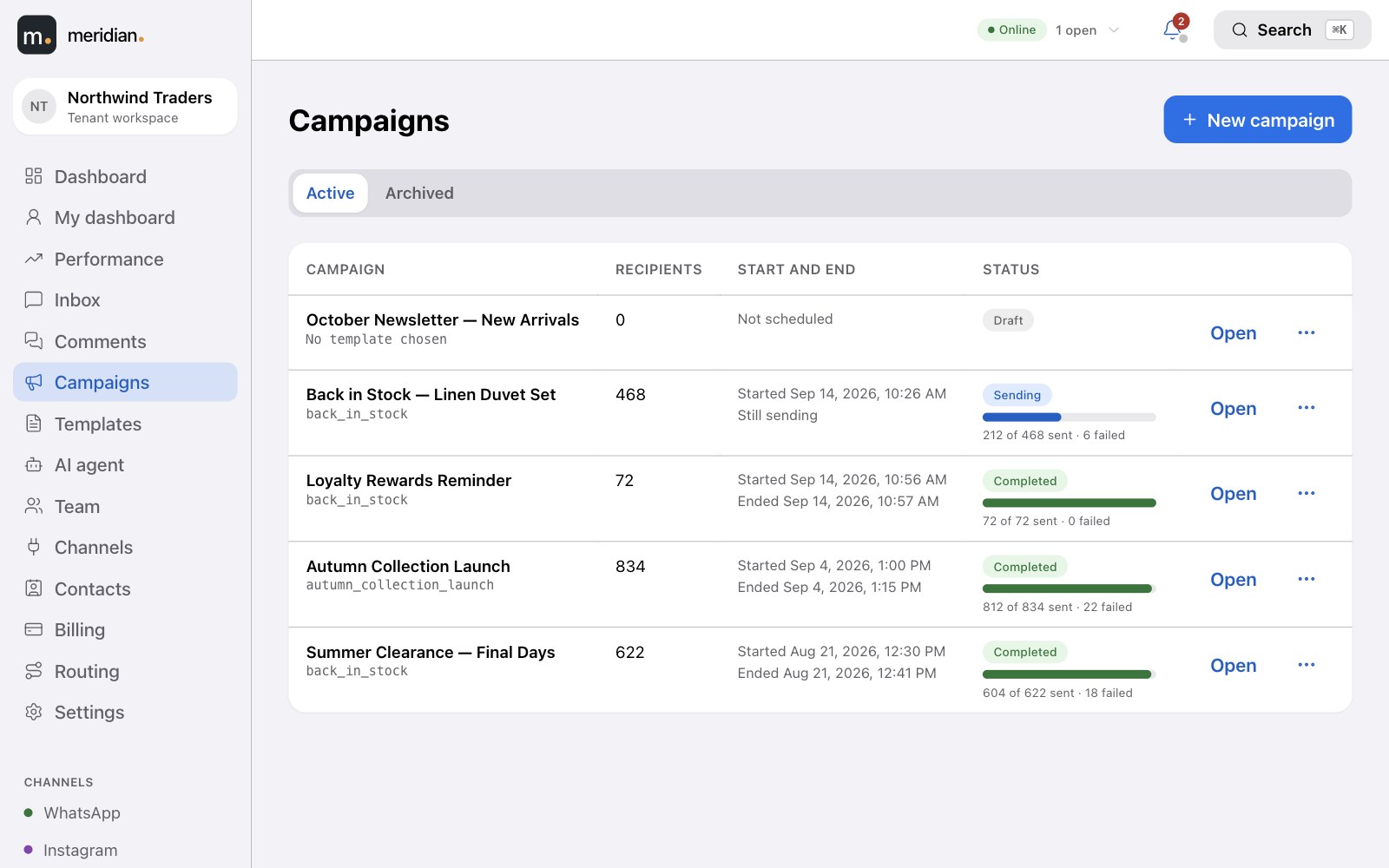
Reach thousands, when and how fast you choose.
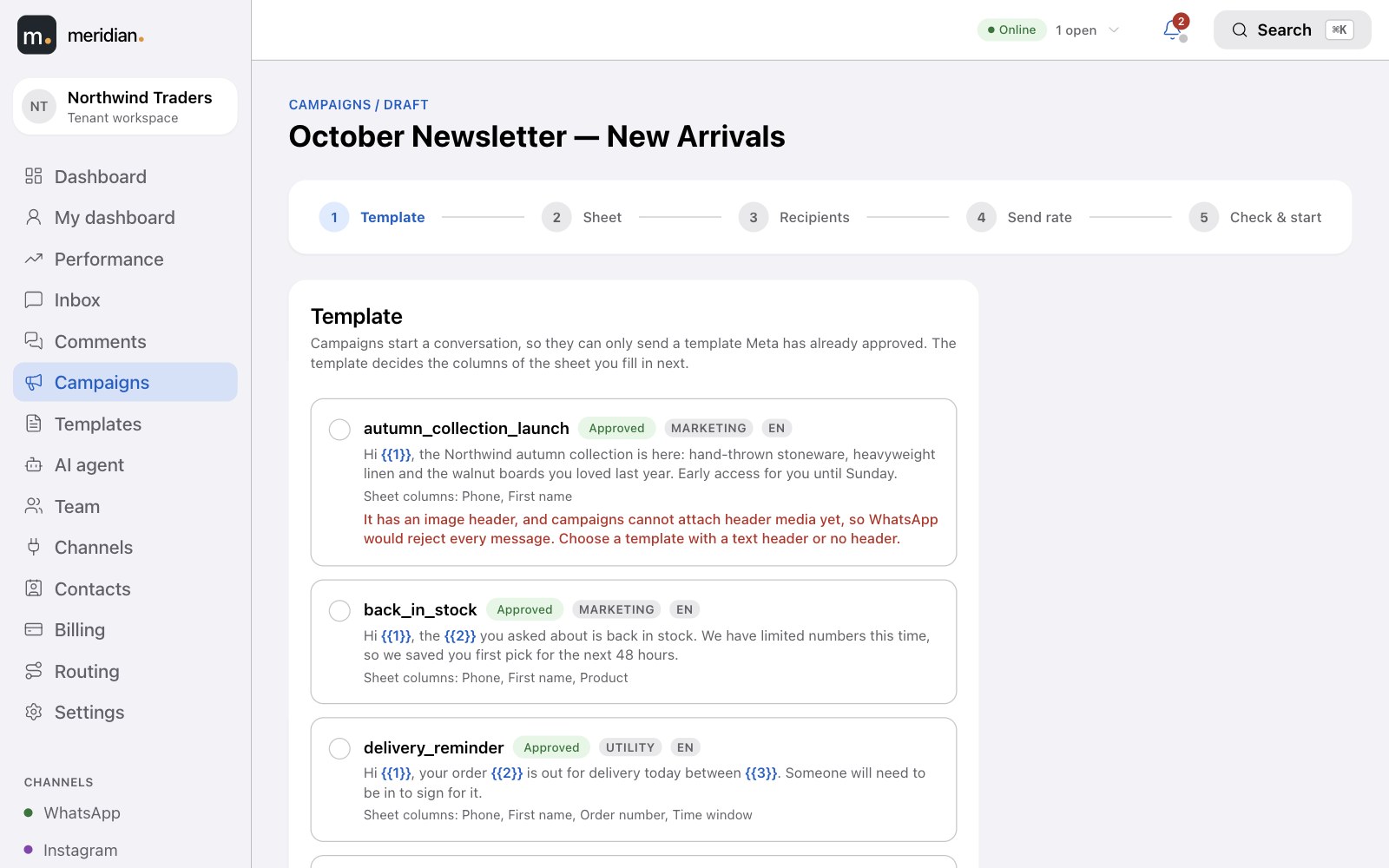
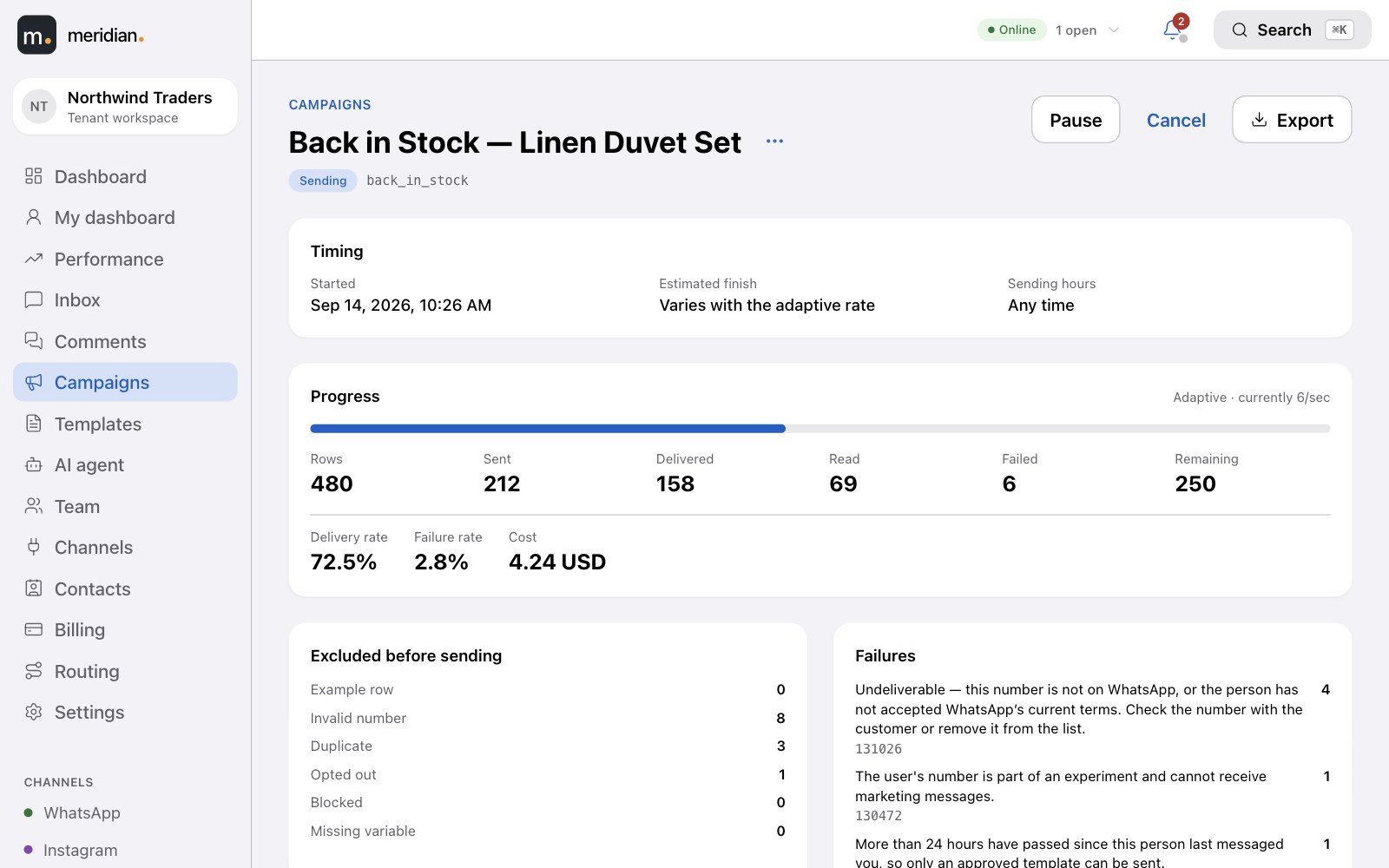
Start from an approved template and download a sheet made for it — or pick recipients straight from your contacts. A check before sending tells you exactly what to fix, and progress is live.
- Send now or schedule it — with a start and end time, and daily sending hours.
- Checked before sending — sender, template, credentials and recipients; invalid, duplicate, opted-out and blocked numbers are excluded.
- A report for every recipient — delivered, read, failed and why, and what it cost.
Live
Everyone sees the same inbox, at the same moment.
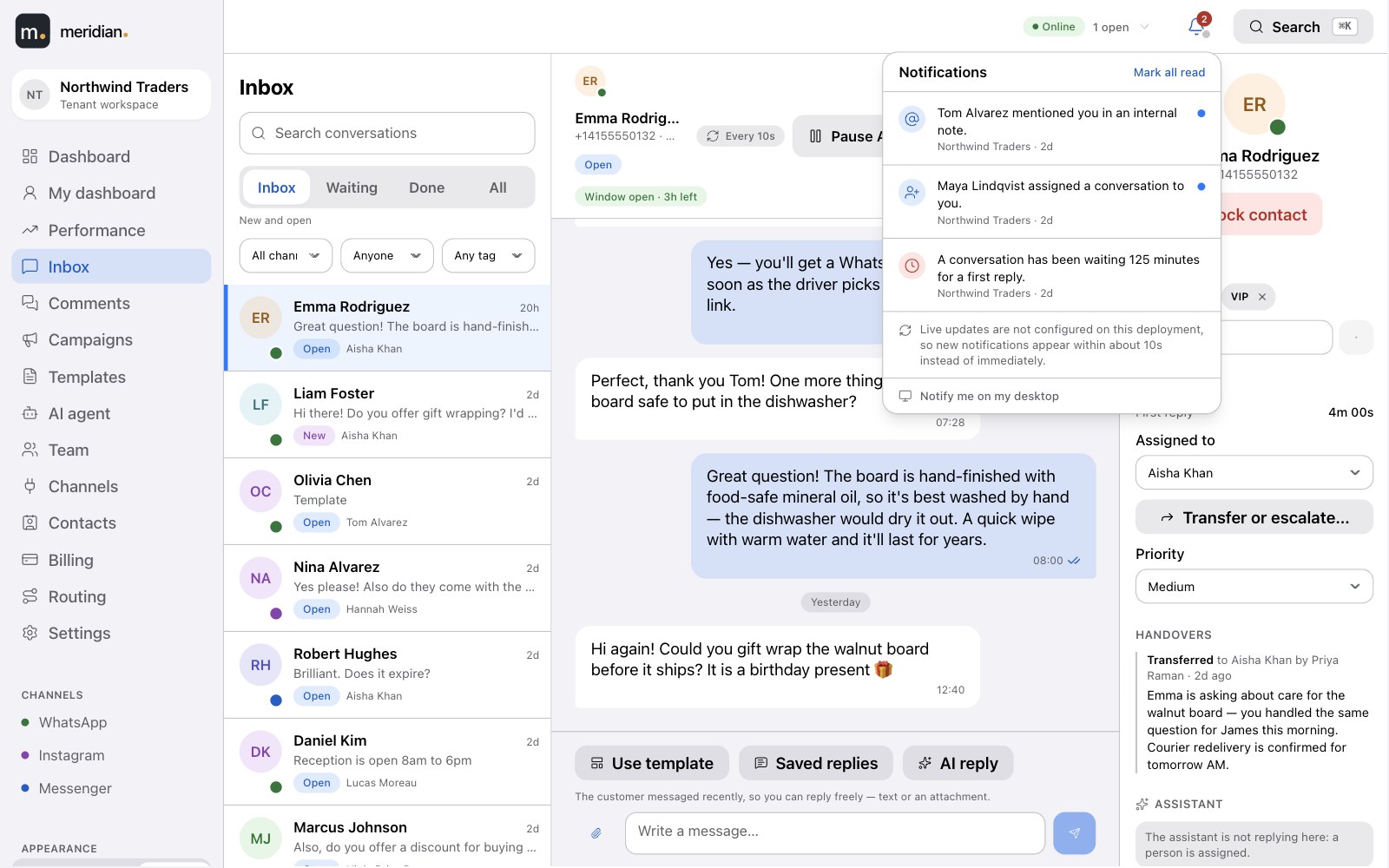
A customer's message appears for the whole team within seconds — no refreshing. Assignments, status changes and delivery updates arrive the same way.
- A notification centre for what needs you, with optional browser alerts.
- Email when you're offline — an assignment, a mention in a note, a response-time breach.
- Honest if the connection drops — the inbox tells you, and keeps refreshing on its own.
See it happen

A customer writes in. Everyone sees it.
A new WhatsApp message arrives and appears at the top of the inbox for the whole team, already routed to an agent — nobody refreshed anything.
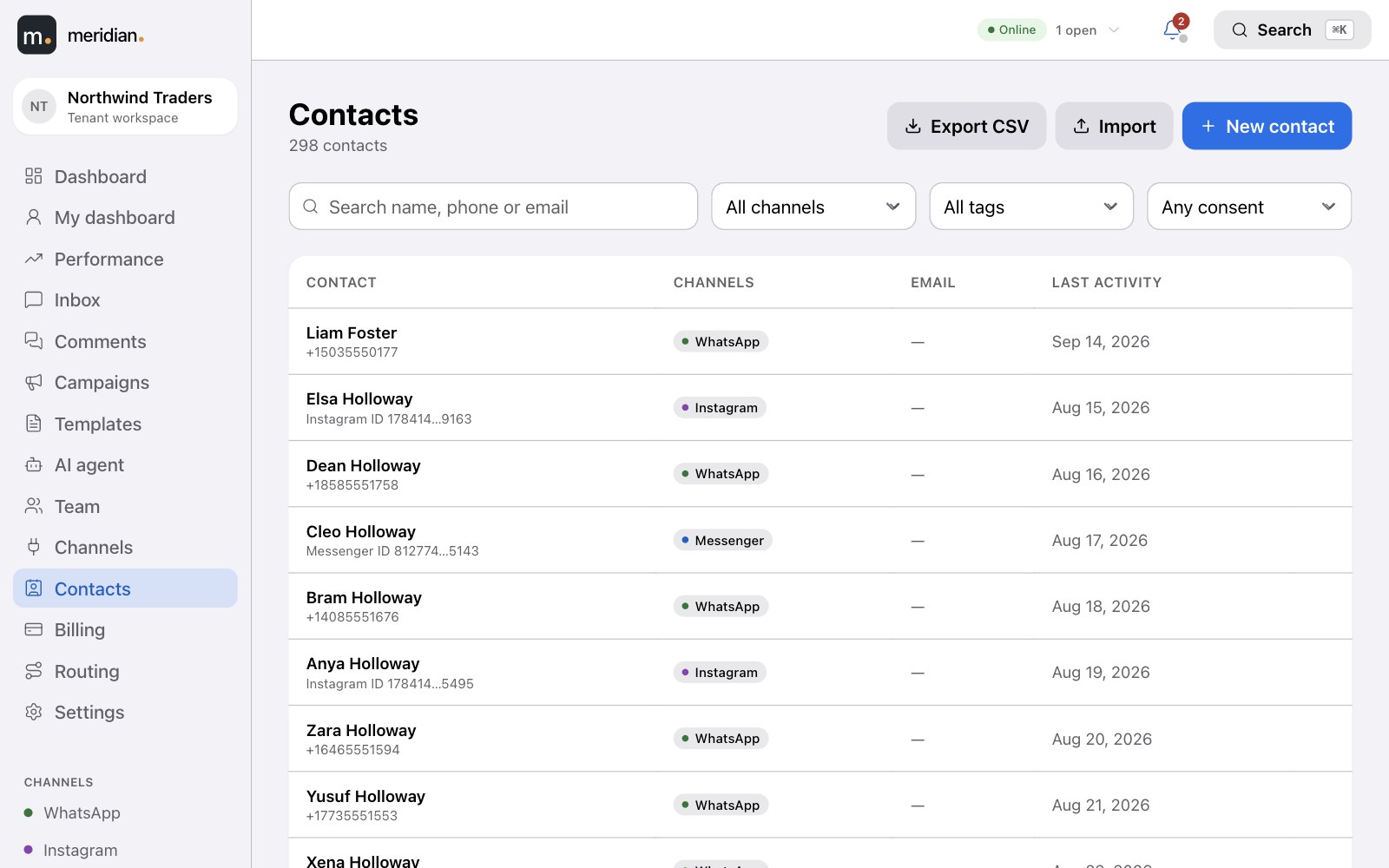
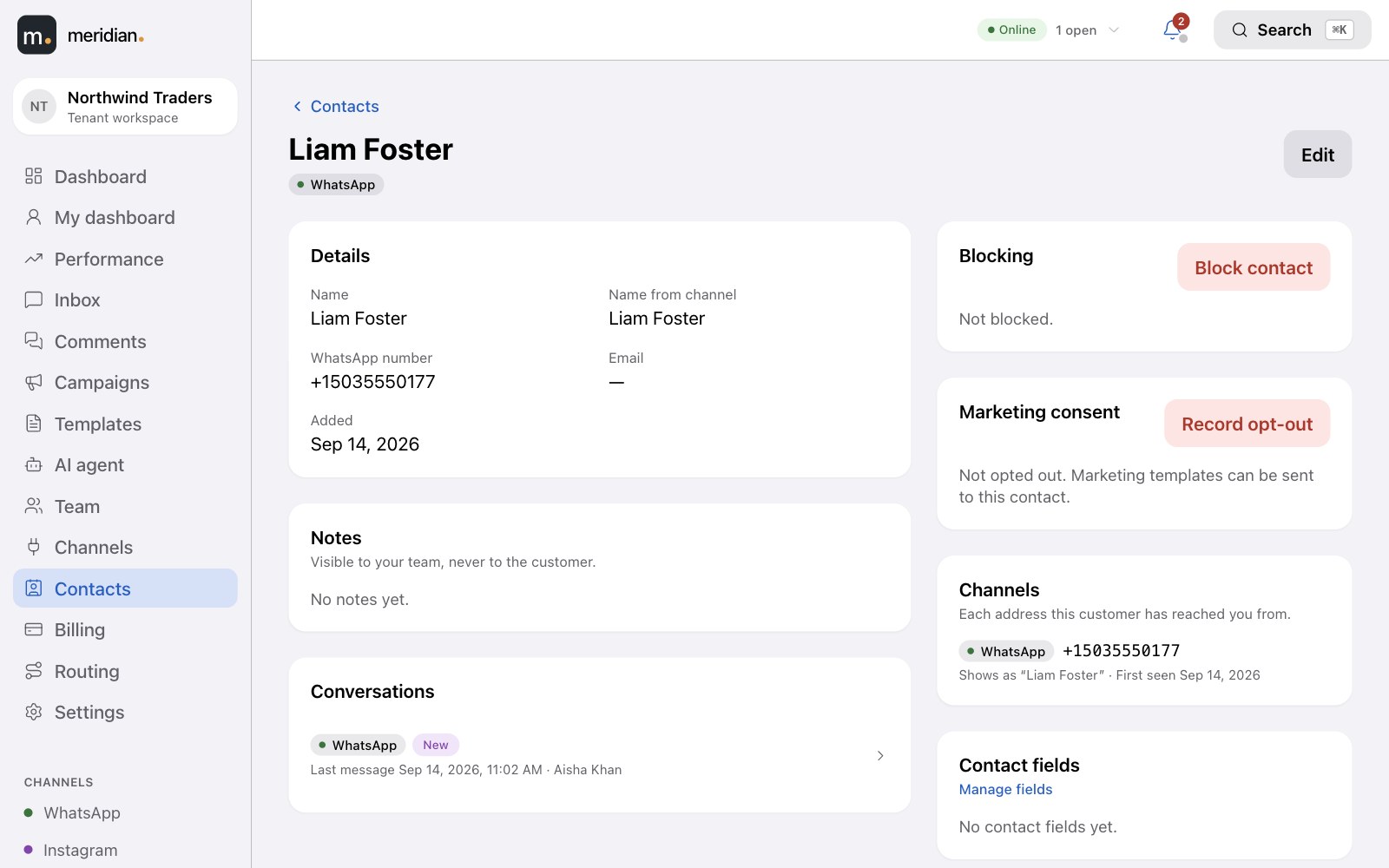
New · Contacts
Every customer, one profile.
Search and filter everyone who has reached you, by channel, tag or consent. Open a profile to see their details, notes and conversations across every channel.
- Your own fields — a plan, a renewal date — filled in on the profile or by import, and usable to target a campaign.
- Import and export CSV, with a report of any row that didn't make it in.
- Block a contact from the inbox, comments or their profile — nothing is sent to them, no tickets open, and on WhatsApp the number is blocked with Meta too.
Reports
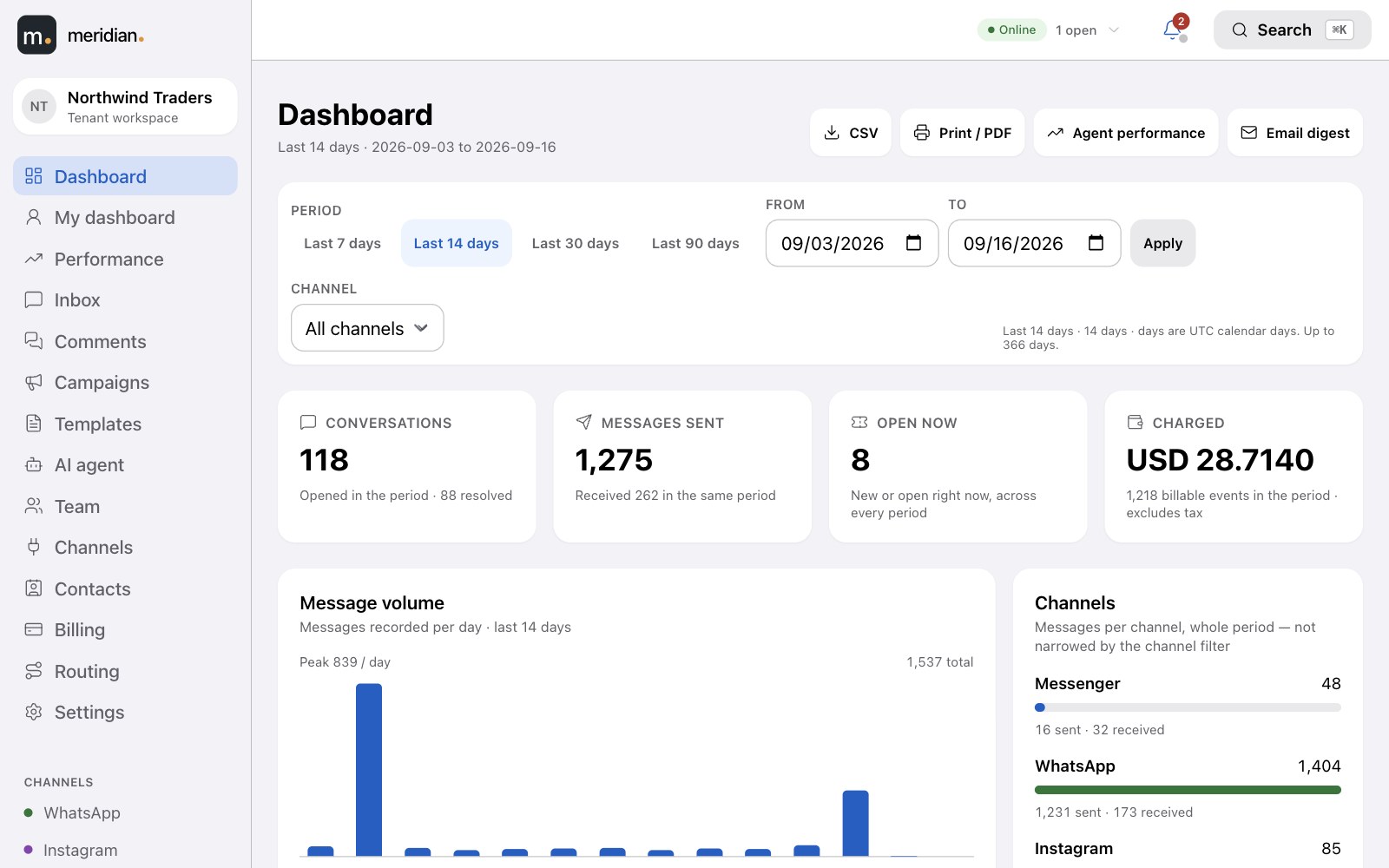
The numbers that matter, straight from your conversations.
Message volume by channel, first-response and resolution times, open versus resolved tickets, campaign results and what the period cost — for any date range, exportable to CSV.
- Each agent has their own view — their queue, their response times.
- Scheduled email digests for anyone who opts in.
- Every figure reconciles to the underlying messages — nothing estimated.
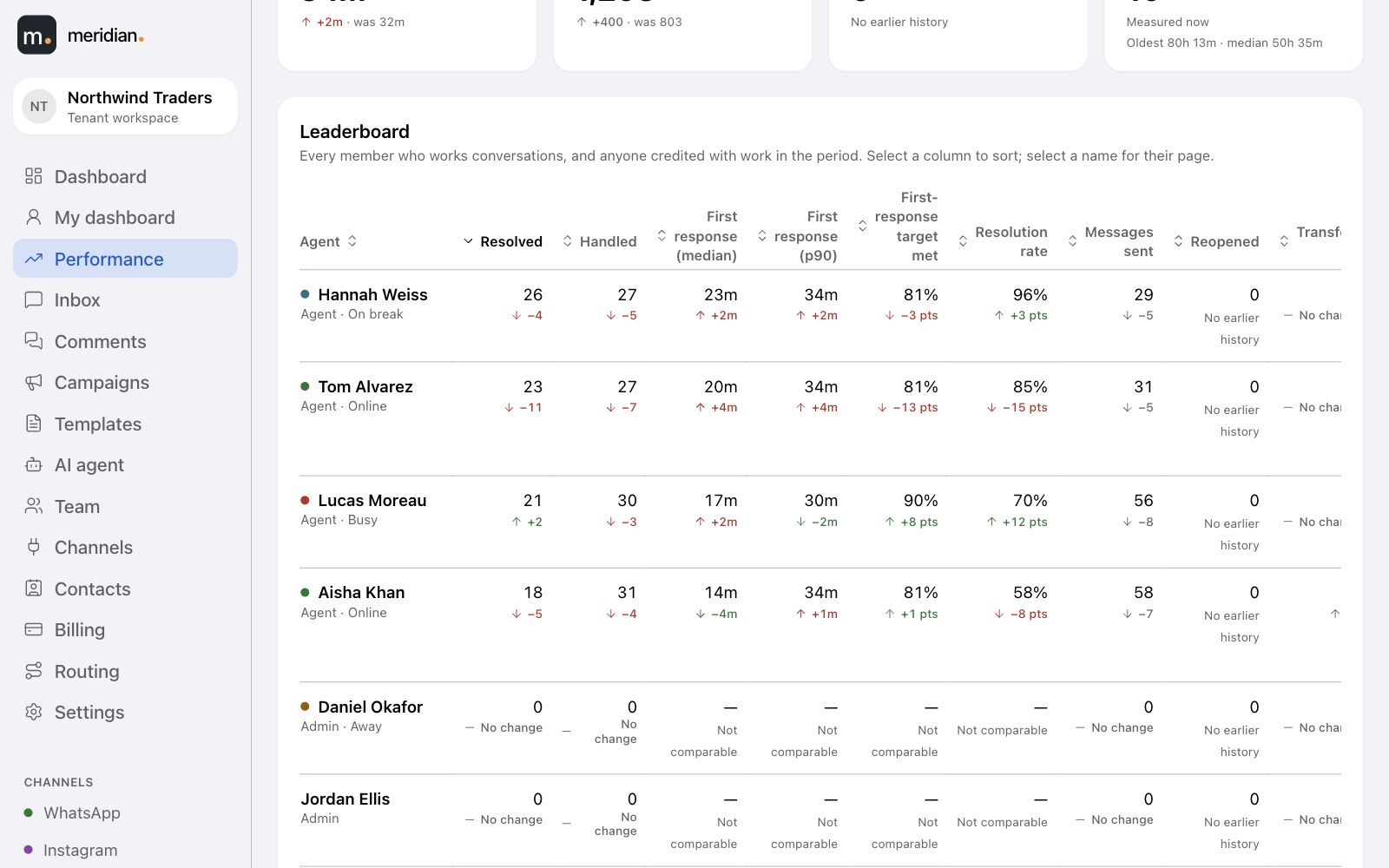
New · Performance
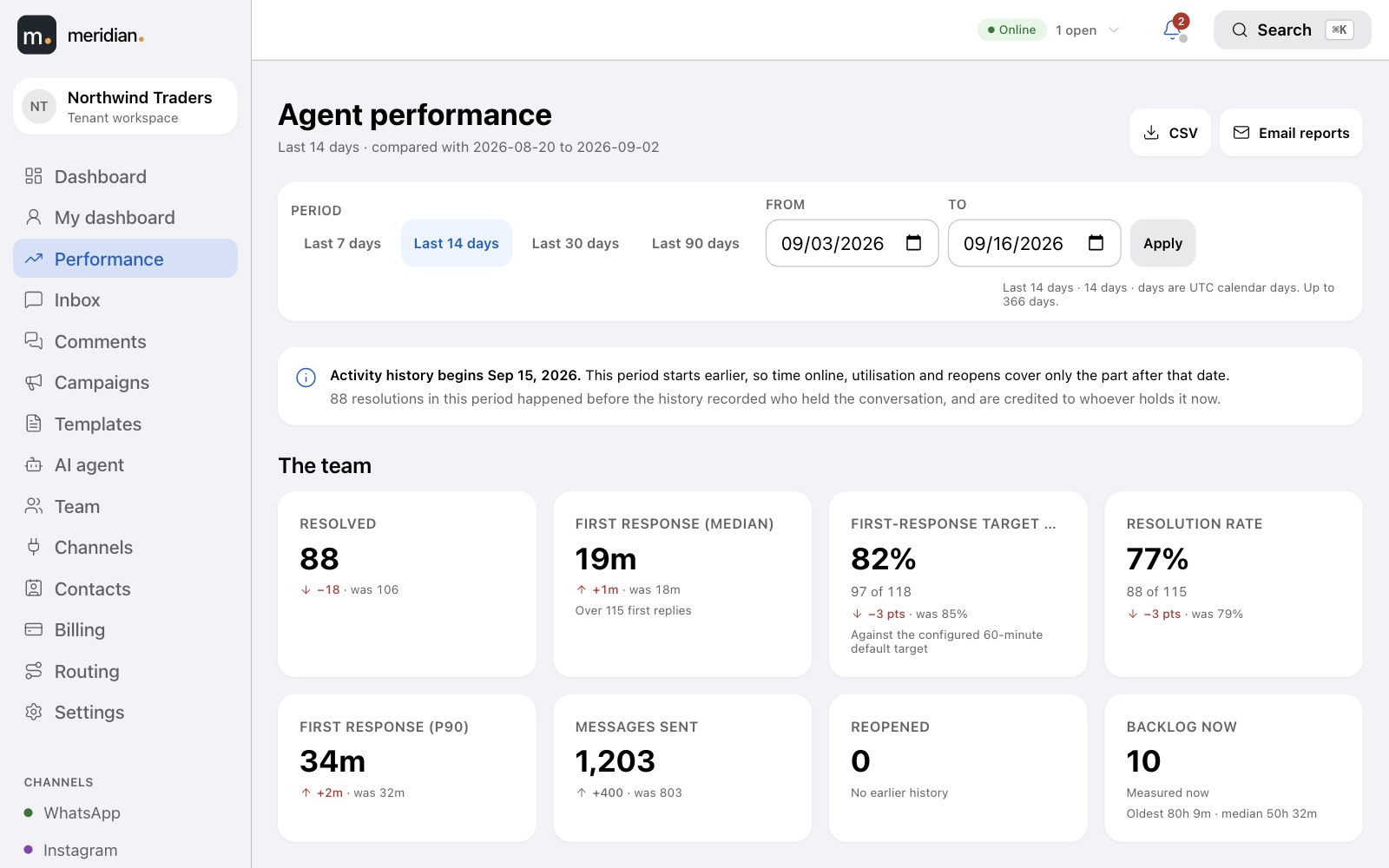
Know how every agent is doing.
Speed, outcomes, workload and availability for the team and for each person — every figure compared with the period before.
- First response and resolution times, response-target compliance, resolution rate, transfers and reopens.
- A leaderboard and a page per agent, with trends, backlog and time online, away and on break.
- Export to CSV or email it on a schedule.
Billing
Pay per message. See every one of them.
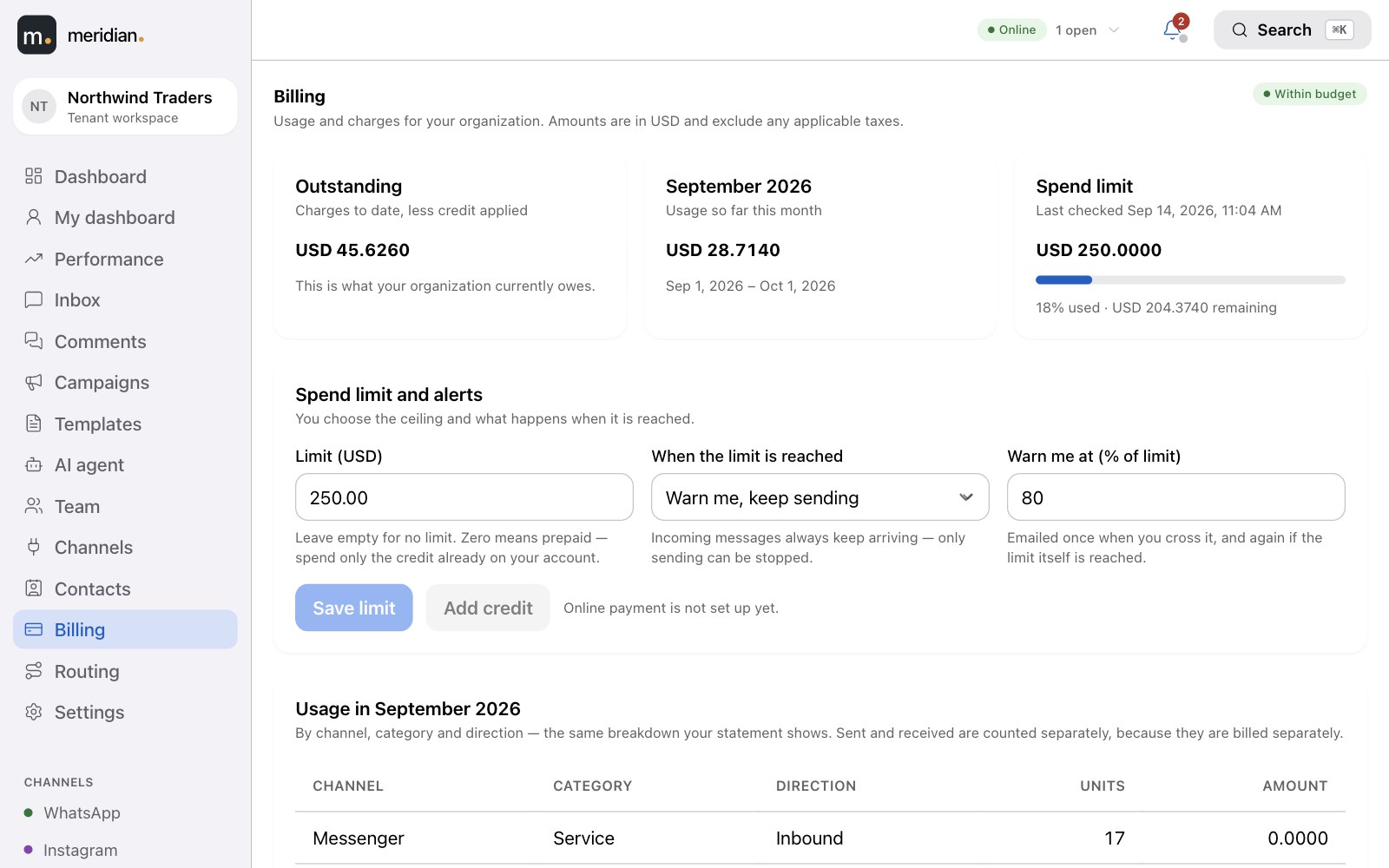
You are charged per message sent and received, and for AI replies from the same balance. Your usage, your spend limit and your monthly statement are all in the app — no surprises.
Usage, itemised
Messages by channel and conversation type, and AI usage by model and by day.
A spend limit you set
Be warned, or pause sending, at the limit. Incoming messages always arrive; out of credit, the AI hands over.
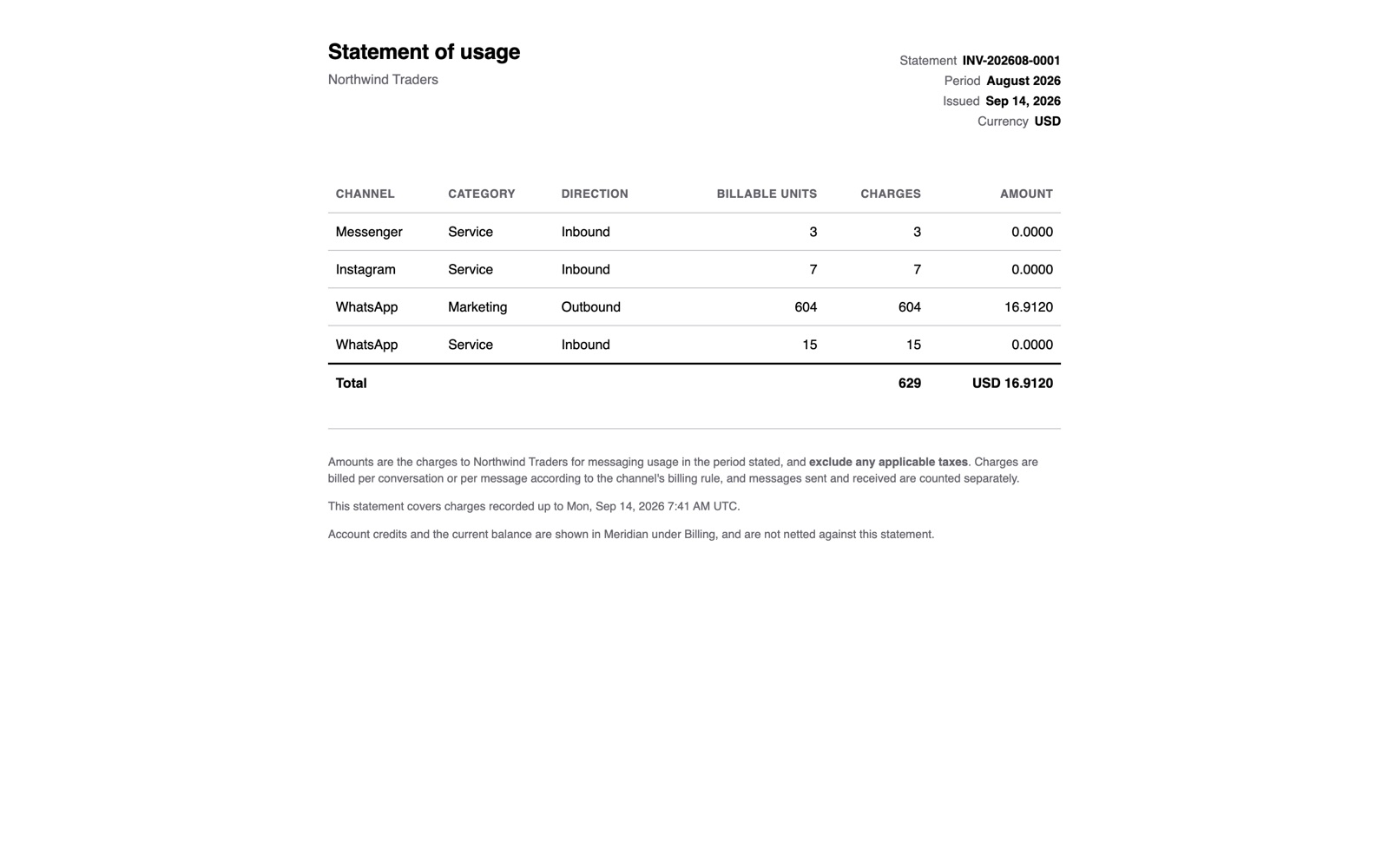
Monthly statements
A statement of usage each month that matches your ledger exactly, ready to download.
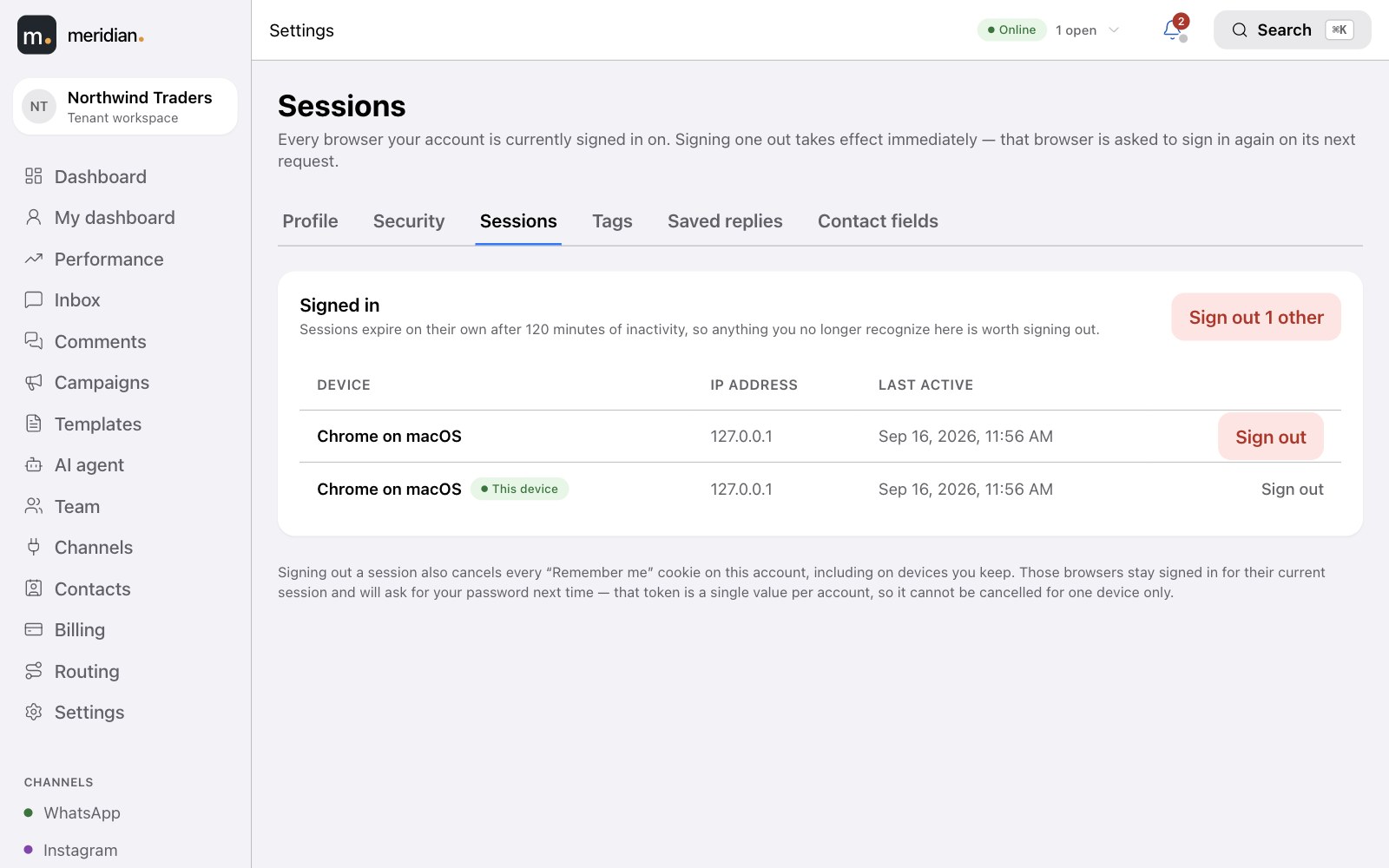
Security & control
Your data, your team, your rules.
- Two-factor authentication with recovery codes; see and sign out every active session.
- Five roles so agents see conversations, and only owners and admins see credentials and billing.
- An audit trail of sensitive changes — who changed what, and when.
- Opt-outs honoured automatically — a customer who replies STOP is never sent marketing again.
- Data export and deletion on request, with configurable retention.
Everywhere
Light or dark. Desk or phone. Mouse or keyboard.
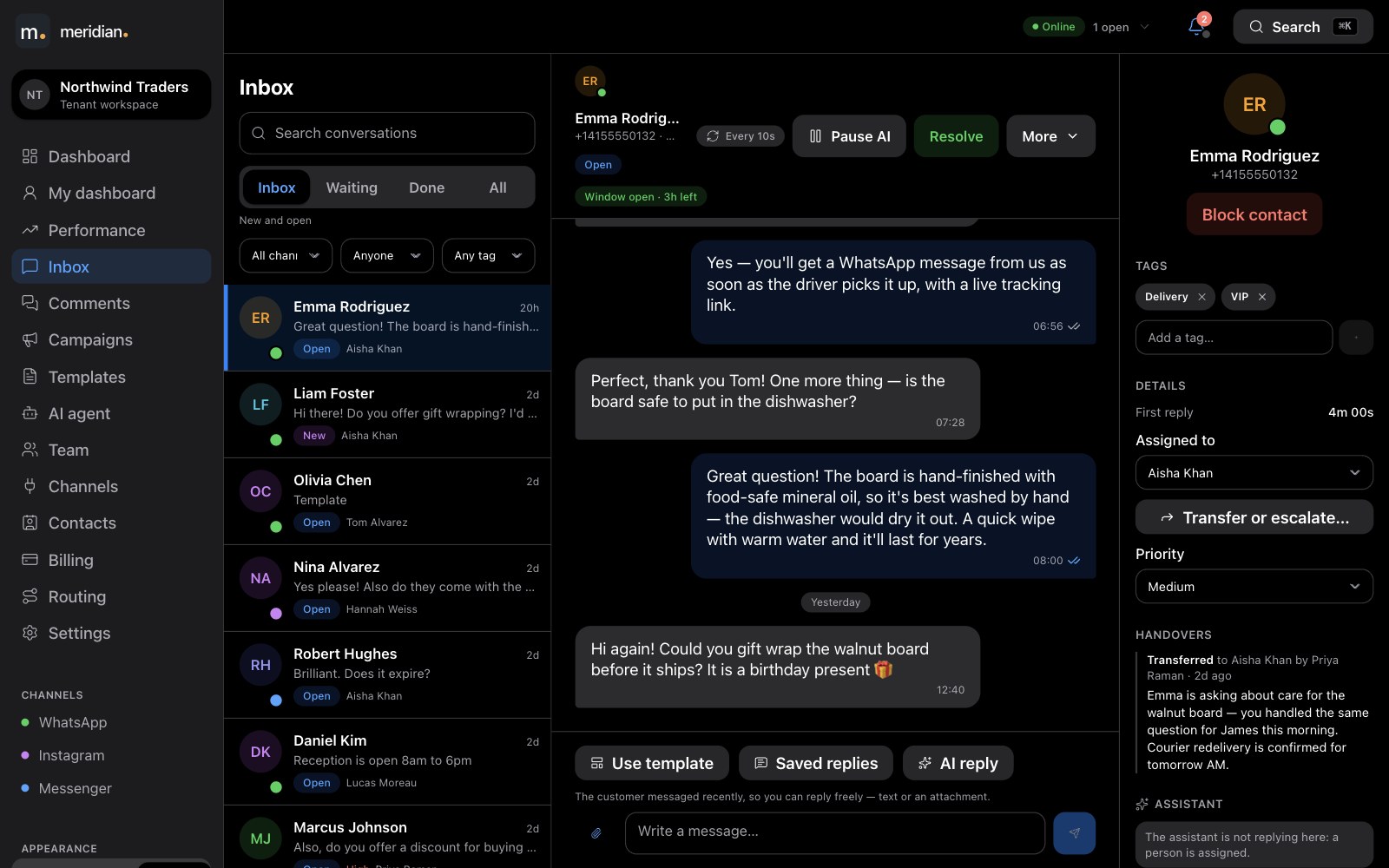
Dark mode, or follow your system setting.
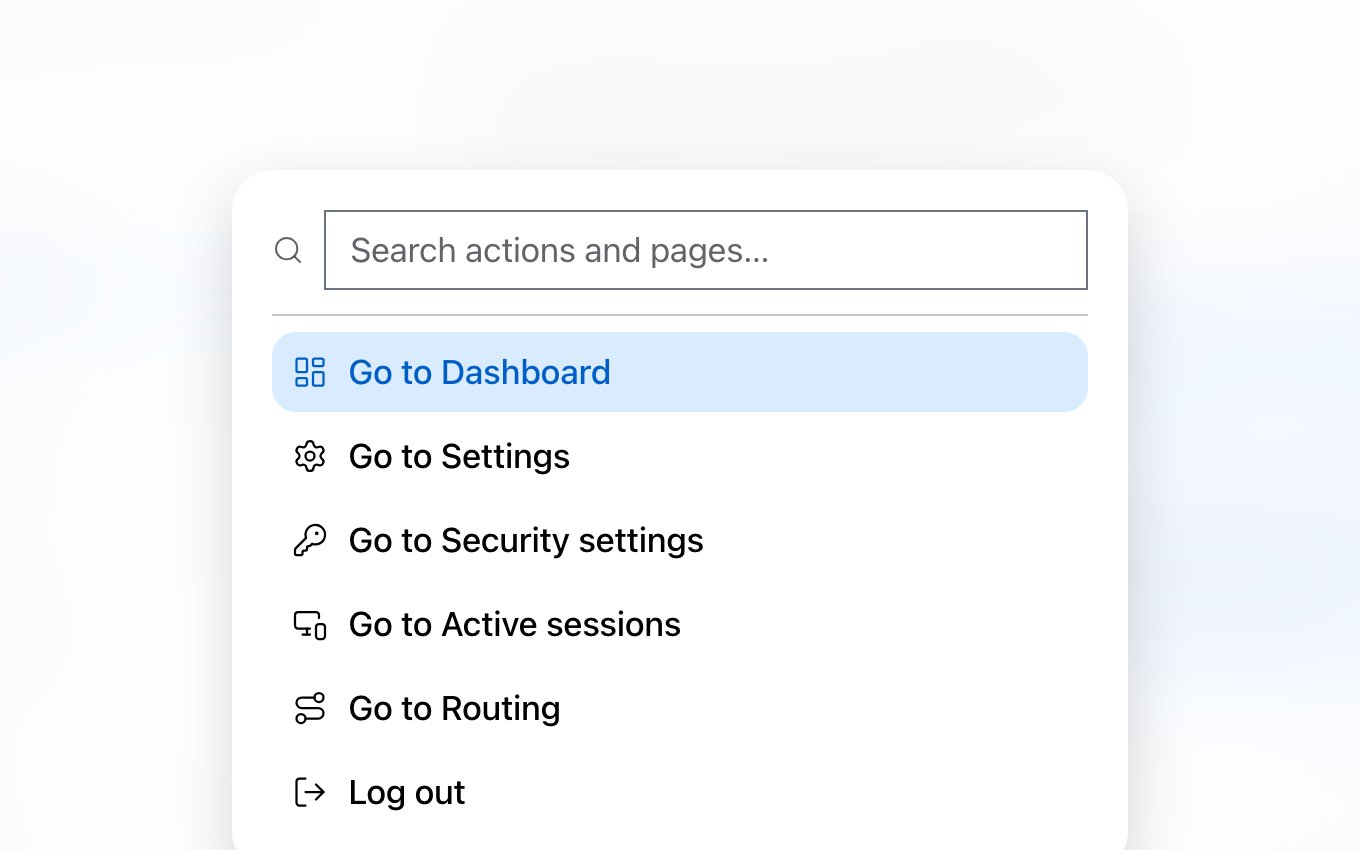
⌘K jumps anywhere.
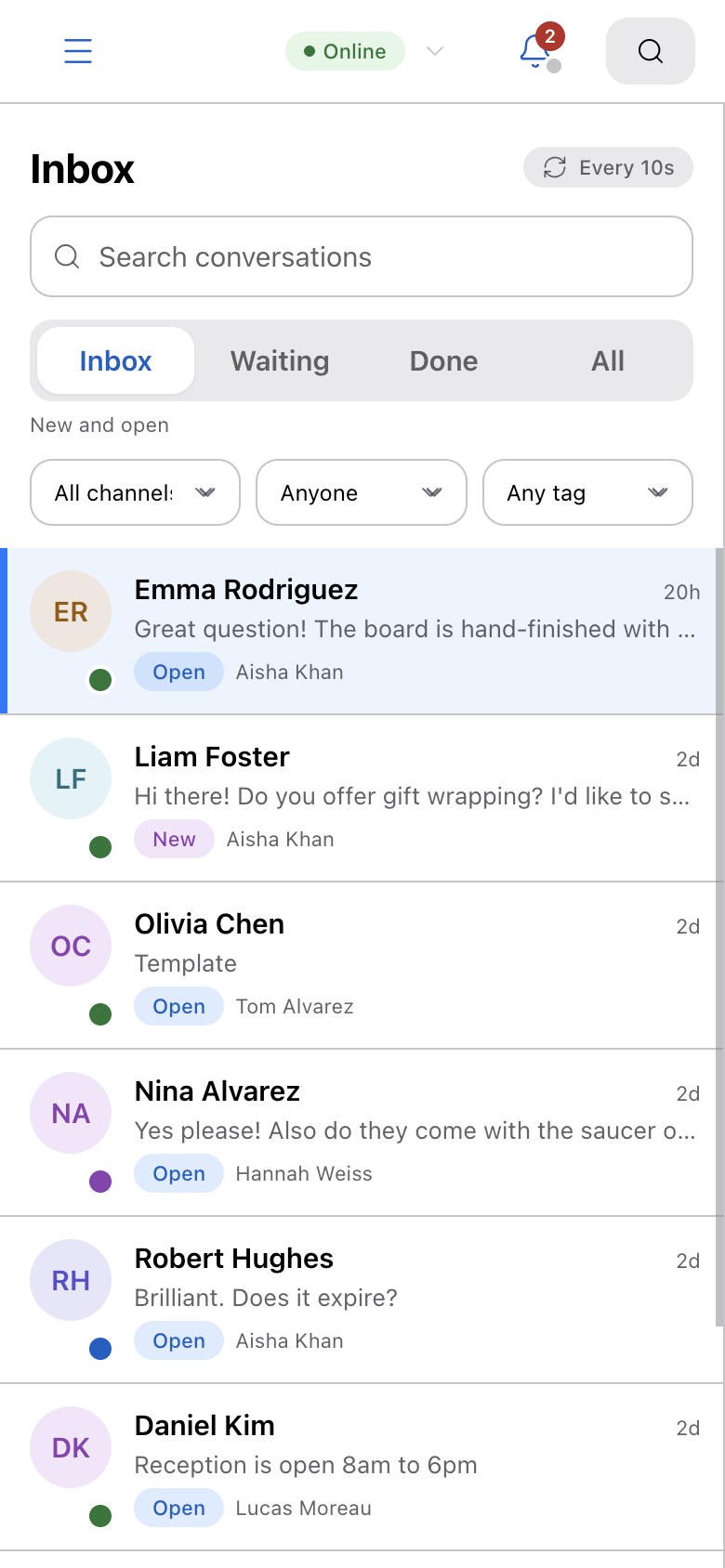
Works on a phone.
Getting started
Live in an afternoon.
Sign in
With Google or an email address.
Connect channels
WhatsApp, Instagram and your Facebook Page, guided step by step.
Invite your team
Each person gets an email and the role you chose.
Create templates
Submit to Meta and wait for the green badge.
Teach your AI agent
Optional: give it a voice and your material, test it, switch it on.
Start answering
Messages route to your agents from the first minute.